Top WiFi Heatmap Software for Homes, Small Businesses, and Enterprises
WiFi heatmap tools are essential for analyzing wireless signal coverage, spotting dead zones, and perfecting router placement for optimal performance. Below, you’ll find a curated list of the best WiFi heatmap software available—both free and paid—with key features, drawbacks, and overall verdicts to guide your decision.
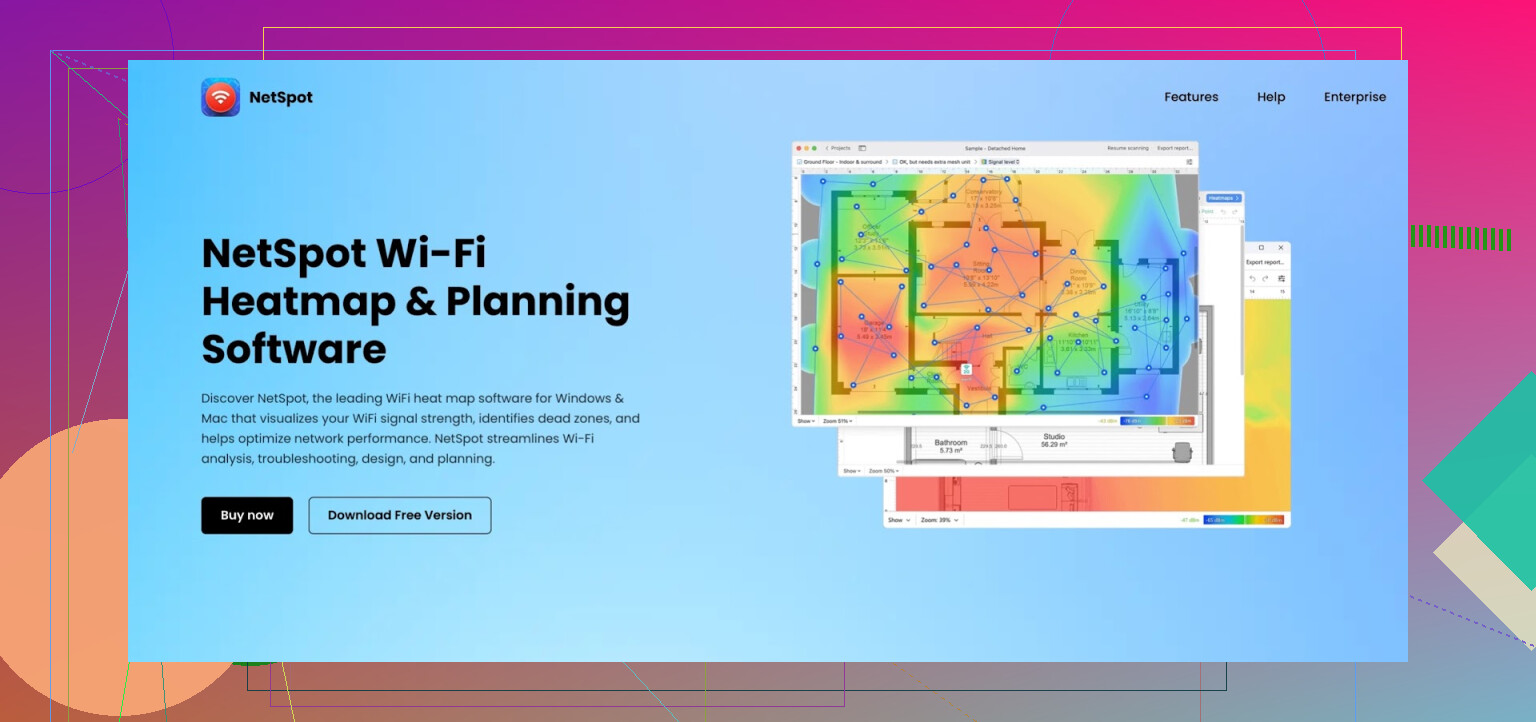
1. NetSpot – Versatility at Its Best
Why It Works:
-
Pros:
- Beginner-friendly design with an intuitive interface.
- Practical for home setups, small businesses, and even enterprises.
- Compatible with both Windows and macOS.
-
Cons:
- The free version limits the number of survey points available.
- Some advanced features are locked behind a paywall.
The Verdict:
A stellar all-purpose choice perfect for everyone from casual users to seasoned professionals. Easy to learn yet powerful enough for in-depth wireless analysis.
2. Ekahau AI Pro – Excellence for Enterprises
 Ekahau AI Pro Official Website
The Highlights:
-
Pros:
- Leverages AI for sophisticated planning and troubleshooting.
- Creates advanced heatmaps and detects interference.
- Tailored for massive, high-demand networks.
-
Cons:
- Comes with a hefty price tag.
- Best suited for IT experts, requiring specialized training.
The Verdict:
A powerhouse designed for enterprise-grade wireless infrastructure. However, its complexity and cost make it less ideal for home or small business use.
3. Acrylic Wi-Fi Heatmaps – Pay Less, Get More for Small Businesses
Acrylic Wi-Fi Heatmaps Official Website
Why It’s Valuable:
-
Pros:
- Budget-friendly when compared to enterprise-level options.
- Provides a clear visualization of WiFi signal strength.
- Ideal for planning access point (AP) placements.
-
Cons:
- Exclusively available for Windows users.
- The free trial doesn’t offer full functionality.
The Verdict:
For small businesses seeking an affordable yet professional-level solution, Acrylic Wi-Fi Heatmaps strikes a solid balance.
4. SolarWinds Network Performance Monitor – A Titan for Large Organizations
The Advantages:
-
Pros:
- Generates live, real-time WiFi heatmaps.
- Monitors complex networks with high precision.
-
Cons:
- Requires a Windows server to run.
- Not user-friendly for smaller-scale setups.
The Verdict:
A fantastic fit for IT departments overseeing large wireless ecosystems. Overly complex, though, for home or small-scale environments.
5. VisiWave Site Survey – Perfect for Indoor and Outdoor Networks
What Stands Out:
-
Pros:
- Stunning 3D visualizations for WiFi coverage analysis.
- GPS integration enables outdoor mapping capabilities.
-
Cons:
- Only compatible with Windows systems.
- Does not support ongoing monitoring.
The Verdict:
For those needing comprehensive indoor or outdoor network visualizations, this tool checks all the right boxes.
6. TamoGraph Site Survey – Built for the Pros
Main Perks:
-
Pros:
- Supports all modern WiFi standards, including 802.11ax, 5GHz, and 6GHz bands.
- Works across Windows and macOS devices.
-
Cons:
- Pricing excludes free usage—it’s a paid tool only.
- Lacks a mobile application.
The Verdict:
Offers professional-grade functionality at a somewhat reduced cost when compared to enterprise-focused options.
7. MetaGeek inSSIDer – Simple WiFi Diagnostics
Key Features:
-
Pros:
- Provides quick, efficient WiFi scanning.
- Pinpoints interference and suggests optimal channels.
-
Cons:
- Doesn’t include heatmap generation features.
- Only available for Windows platforms.
The Verdict:
While it’s effective for fast diagnostics, this lightweight tool lacks true heatmapping capabilities, limiting its utility for deeper analysis.
Wrapping It Up
Choosing the right WiFi heatmap tool largely depends on your specific needs and budget. Here’s a recap:
- Best Overall Tool: NetSpot

- Top Choice for Enterprises: Ekahau AI Pro
- Best for Small Businesses: Acrylic Wi-Fi Heatmaps
With these options, you’re equipped to enhance your WiFi network efficiency—whether you’re solving lagging connectivity at home, boosting business productivity, or optimizing vast enterprise setups.