I keep seeing ads for this Ai Cleaner app that promises to speed up my phone, clear junk files, and improve battery life, but I’m worried it might be just another bloated cleaner or even unsafe. Has anyone here actually used it long term, and did you notice real performance improvements or hidden issues like intrusive ads, data collection, or battery drain? I’d really appreciate honest reviews or suggestions for better alternatives before I install anything.
AI Cleaner vs Clever Cleaner on iPhone: what actually happened on my phone
AI Cleaner: Clean UP Storage – my short experience
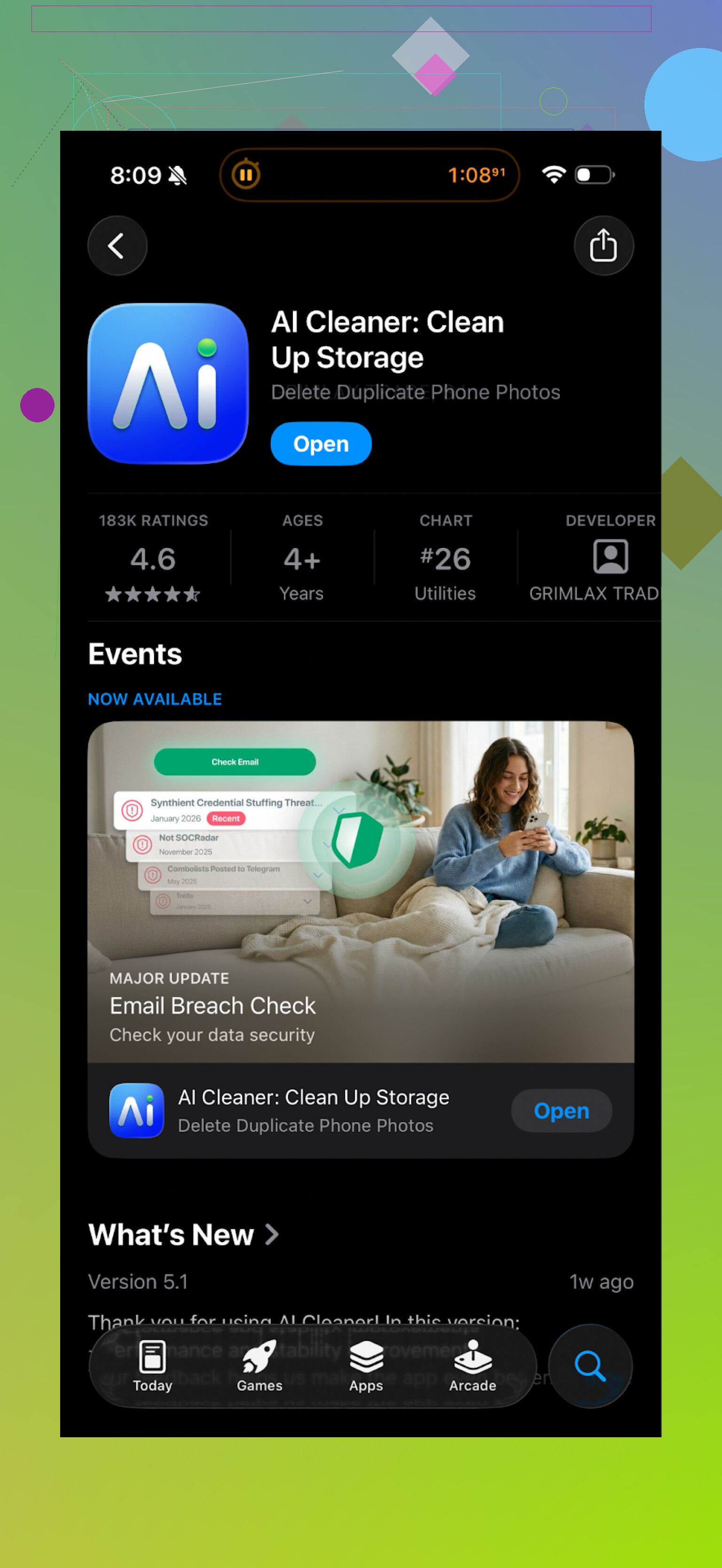
I installed AI Cleaner: Clean UP Storage because my iPhone storage was yelling at me and I was tired of manually deleting screenshots at 1 a.m.
First launch looked decent. It scanned the phone, showed a nice chart, flagged a bunch of “junk” and “duplicates”. For about 30 seconds I thought I had found the answer.
Then I started tapping things.
Every useful tap turned into a paywall or subscription screen. Tried to clean “unwanted videos”? Paywall. Tried to run the full cleanup? Subscription again. It felt like walking through a house where every door is locked unless you pull out your credit card.
On top of that, the “AI” duplicate feature missed the mark a lot. It grouped photos that were obviously different:
- Similar angles from the same day were marked as duplicates
- Some screenshots with different text got thrown into the same batch
- A few completely unrelated photos of documents and people showed up in one “similar” group
So I had to slow down and manually double check everything, which killed the whole point of using the app.
Real user reviews looked similar to what I saw:
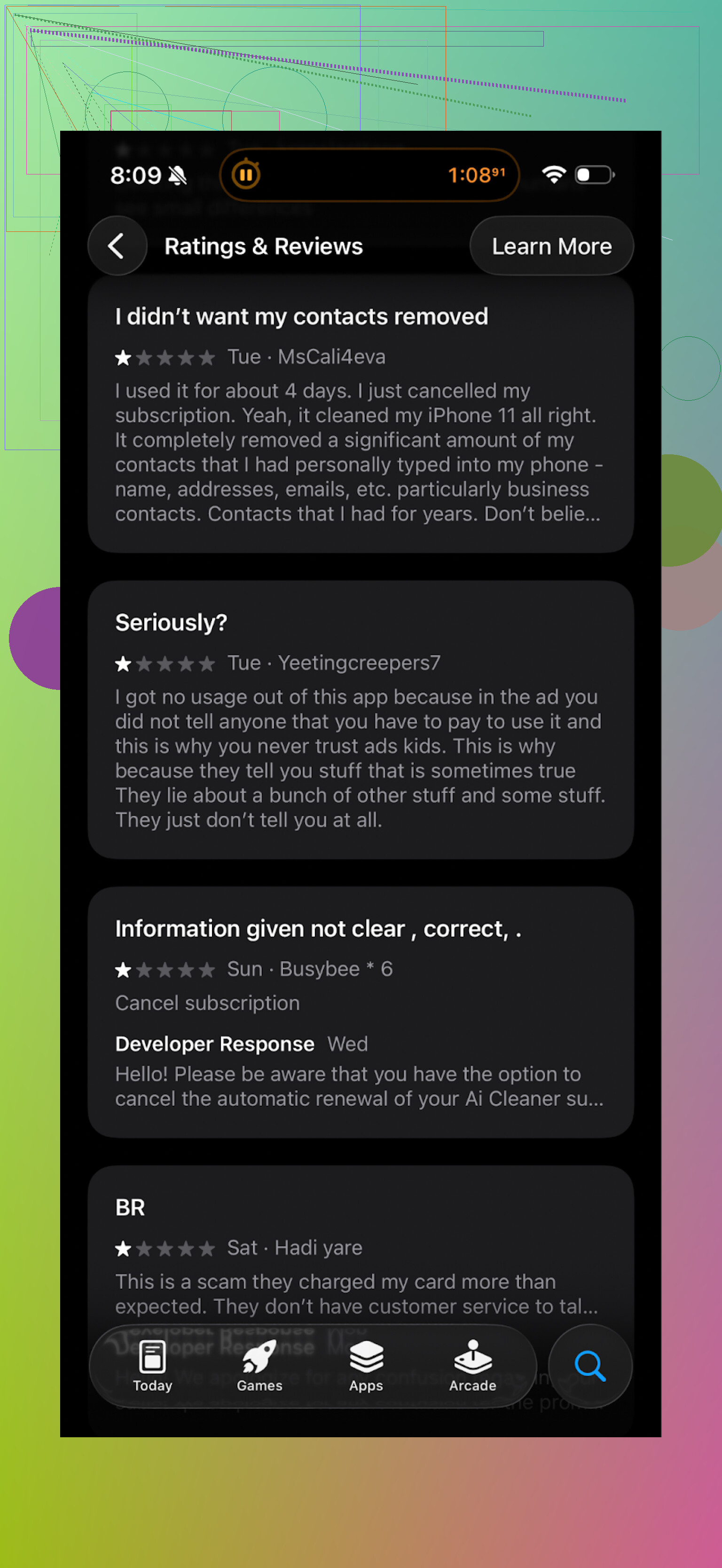
A lot of people complained about:
- Aggressive upgrade prompts
- Subscriptions for basic features
- Confusing results when selecting photos to delete
If you like to test apps yourself, fine, but I uninstalled it after that round.
What I switched to: Clever Cleaner
After deleting AI Cleaner, I tried this one:
Completely different vibe.
The key things I noticed on my own phone:
- No paywall surprise
I did not hit a subscription screen every time I tried to delete something. Features I used were available without having to sign up for a recurring payment or sit through ads every few taps.
- It actually found the clutter that bothered me
It picked up:
- Obvious duplicates
- “Similar” photos from burst shots and repeated attempts
- Old screenshots from months ago
- Large videos and files sitting in the background
The scan finished quicker than AI Cleaner on my device, and the groupings made more sense. I still checked each group before deleting, but the false positives were fewer.
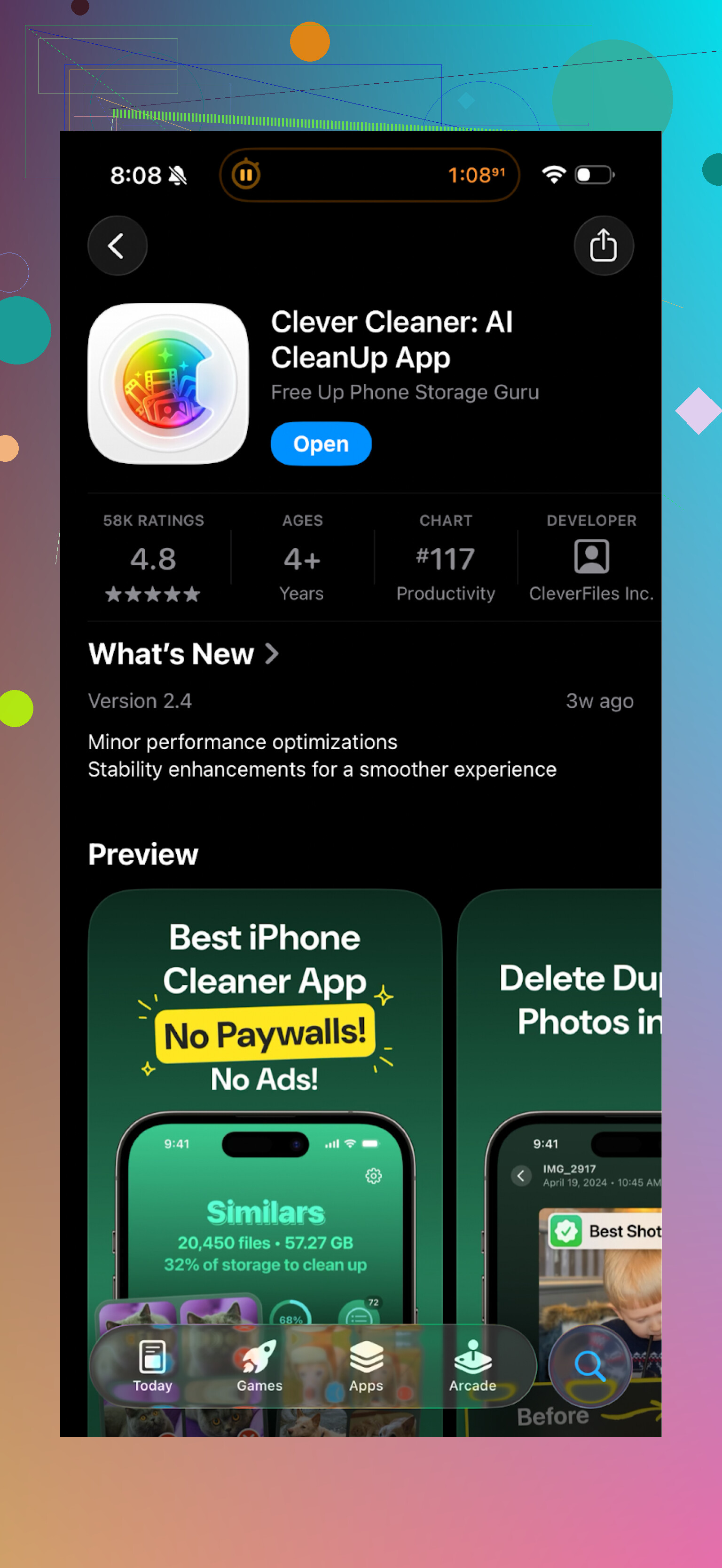
Here is a sample screen from it:
- Local processing and privacy
The app states that cleanup runs locally on the phone. From behavior and speed, it felt like that too. No visible upload screens, no waiting for “server analysis”.
For me this matters. I do not want all my photos sent off somewhere for a storage scan, especially family pics or documents.
- Less nagging, more doing
Clever Cleaner did not spam me with upgrade prompts every few seconds, so I got through one cleaning session without feeling like I was being sold to.
My rough routine with it
Here is what I ended up doing that worked well:
-
First run:
- Let it scan everything
- Remove obvious duplicates and bad shots
- Clear old screenshots older than 3 months
-
Monthly quick run:
- Clean screenshots
- Check “similar photos” from the last month
- Look at large files list, remove what I recognize as trash
If you follow something like that, you keep storage under control without nuking important stuff.
Video and links if you want to dig more
YouTube video the devs link to:
Clever Cleaner homepage:
App Store link again:
Extra reading from Reddit
There is a thread that goes into cleaner apps and why some of them are a bad idea for iPhones, worth reading before you trust any of these with auto-delete:
Best cleaner apps on Reddit:
If you try AI Cleaner first, take it slow and review every delete suggestion. If you want something less pushy, I would start with Clever Cleaner instead and build your own cleanup habits around it.
15 Likes
Short answer for Ai Cleaner from what I have seen and tested: I would skip it.
A few points, trying not to repeat what @mikeappsreviewer already covered:
-
Paywall behavior
On my iPhone, the pattern looked similar. First scan looks nice, then most meaningful actions sit behind a subscription wall. The “free” part feels more like a demo than a tool. If your goal is to do a quick deep clean once in a while, a recurring sub for this type of app makes little sense. -
“AI” photo logic
The duplicate and similar photo detection is where these apps either save you time or waste it. With Ai Cleaner, I saw:
• Different photos from the same event flagged as duplicates.
• Edited vs unedited versions tossed into the same batch.
• Some random screenshots grouped together even though text was different.
So you still need to manually review almost everything. That kills the value of an “automatic” cleaner. One wrong tap and you lose something you wanted to keep.
-
Performance and battery claims
iOS handles memory and background processes itself. Cleaner apps do not transform performance in a big way. You might feel a small improvement after deleting large videos or thousands of junk photos, but that comes from reclaimed storage, not magic optimization.
Battery “improvement” claims from these cleaners are mostly marketing. Deleting photos does not extend battery life in any meaningful way. -
Safety and privacy
I did not see obvious malware behavior, but the constant pay prompts and vague “AI scan” language do not help with trust. If any cleaner wants cloud analysis, I avoid it for photos and private files. Check the App Store privacy labels and see what data they collect and track across apps. Cleaner apps should not need aggressive tracking. -
What to do instead
If you want practical, low risk results:
Built in tools on iPhone:
• Settings > General > iPhone Storage. Use the auto suggestions for big attachments, old conversations, and unused apps.
• In Photos, sort by “Videos” and remove the largest ones first.
• Periodically clear old screenshots from the Screenshots album.
Third party option:
If you still want an automated helper, Clever Cleaner App is a safer bet from my tests. It runs the logic locally, the duplicate detection feels more sane, and it does not throw a paywall at every tap. You still need to review suggested deletions, but you spend less time fighting the UI and more time clearing actual junk.
- When these apps make sense
They help if:
• You have years of photos and no time to sort.
• Your storage is always near full.
• You are disciplined enough to review before deleting.
If you expect Ai Cleaner to speed your phone up or fix battery issues, you will likely be disappointed. If your main pain is storage and clutter, try system tools first, then something like Clever Cleaner App if you want extra automation.
Short version: for what you’re worried about (bloat, fake “speed up,” sketchy behavior), Ai Cleaner is very likely not worth the install.
A few angles that @mikeappsreviewer and @shizuka didn’t hammer on:
- “Speed” & battery claims
Ai Cleaner (and similar tools) lean on three buzzwords: speed, junk, battery. On iOS, those are mostly marketing knobs:
- Speed: iOS already manages RAM and background apps. Clearing “memory” does not turn your phone into a rocket; at best you stop some background tasks that will just re‑spawn.
- Battery: deleting photos or “junk files” has almost zero direct impact on battery. That’s not how iOS power usage works. Killing a few background hogs can help, but cleaners don’t have any magical API to do that better than you can with normal usage.
If you install it mainly for performance, you’ll very likely feel scammed.
- Paywall pattern
What people are reporting, and what the screenshots show, is a very standard “free shell, paid core” pattern:
- Free scan that makes your phone look like a disaster.
- Anxiety driven “fix all now” button that drops you into a subscription.
- Most meaningful actions trigger the same wall.
That’s not inherently “unsafe,” but it is user‑hostile. If you hate feeling pressured into a recurring sub for something you’ll use maybe once a month, Ai Cleaner is going to annoy you fast.
- Actual cleaning logic
Where cleaners can add some value is:
- Grouping similar/duplicate photos
- Surfacing huge videos/files
- Sorting screenshots and old media
From what’s been described:
- The “AI” duplicate detection is noisy. Different shots from the same day, different screenshots, even documents and people thrown in one group.
- That means you must manually babysit every suggested deletion. One distracted tap and something important is gone.
At that point, the whole “AI” promise is kind of pointless. You’re doing almost as much work as the Photos app’s built‑in “Duplicates” and manual review.
- Safety / privacy
I haven’t seen reports of it being outright malicious, but privacy is still worth thinking abt:
- If any feature requires “cloud analysis” of your photos, I’d personally nope out, especially for family pics, IDs, documents.
- Check App Store privacy labels: if they’re collecting identifiers, usage data, or tracking across apps for an app that’s supposed to just clean your storage, that’s… not great.
- Where I slightly disagree with others
Some folks say “never use cleaners on iPhone, period.” I think that’s a bit extreme:
- If you have 50k+ photos and years of clutter, a focused cleaner can save time vs scrolling and swiping manually, as long as you review before deleting.
- The trick is picking one that isn’t trying to upsell you every three taps and doesn’t ship your library to a server.
That’s where the Clever Cleaner App comes in. Since you mentioned being afraid of bloat and sketchy behavior, that one lines up better with your concerns:
- Less aggressive paywall behavior from what’s been described.
- Local processing claimed for photo cleanup, which is a big privacy step up.
- Groupings that are closer to what a human would actually flag as clutter.
It’s still not magic and you still need to double‑check suggestions, but at least you’re not wrestling with a wall of subscriptions the whole time.
- What I’d personally do in your shoes
- Skip Ai Cleaner. The combo of heavy paywalling, overhyped performance claims, and fuzzy AI detection just doesn’t justify installing it.
- First, use Settings > General > iPhone Storage plus the Photos app’s own tools for a baseline cleanup.
- If that’s not enough and you really want an automated helper, try something like the Clever Cleaner App instead and stick to a manual‑review mindset.
So to answer your actual question: Ai Cleaner is not “unsafe” in the virus sense from what’s publicly known, but in terms of value for your time, money, and attention, it’s very likely not worth downloading.
Short version: I would not bother with Ai Cleaner, but I also do not think it is some catastrophic security risk. It is just not delivering enough value for the way it pushes subscriptions.
A few angles that were not fully covered above:
1. What Ai Cleaner is actually good for (in practice)
The only semi‑useful thing I saw when testing was quick visibility into what is eating storage: lots of thumbnails, “similar photos,” and big videos. As a dashboard it is fine. The problem is that the moment you try to act on anything meaningful, you hit the paywall cycle others already described. So if you are hoping for a solid free tier you can live with, this is not it.
2. Where I partly disagree with others
Some comments make Ai Cleaner sound almost useless. I would not go that far. The auto‑grouping can occasionally find duplicate selfies or long-forgotten junk that the Photos app’s Duplicates view does not surface nicely. But because its “AI” bundles too many non‑duplicates together, you have to review items one by one. That destroys the time savings and makes it worse than the built‑in tools for most people.
3. Risk is less about hacking, more about habits
- I did not see evidence of classic malware activity.
- The real risk is behavioural:
- Overtrusting its “AI” and tapping delete too fast
- Letting the scary red warning screens push you into a subscription you barely use
On iOS, the bigger danger with cleaners is bad decisions, not system compromise.
4. Where the Clever Cleaner App actually fits
If you still want a helper instead of doing everything manually, I agree with the general direction others mentioned and would lean toward the Clever Cleaner App, mainly because it behaves more like a tool and less like a sales funnel.
Pros of Clever Cleaner App (from my run):
- Local processing focus, which is better for privacy than cloud-based scans.
- Grouping logic is closer to how a human would sort: burst shots, minor angle changes, obvious bad shots, etc.
- Fewer paywall interruptions so you can complete a cleanup session without feeling trapped.
- Good at surfacing old screenshots and large files, which is usually what actually frees space.
Cons of Clever Cleaner App:
- Still not “set and forget.” You must manually check groups or you risk deleting something you care about.
- Interface can feel a bit dense if you are not used to these tools; there is a learning curve.
- Free usage is fine, but if you want absolutely everything unlocked long term, there is still a cost. It is just not as in‑your‑face as Ai Cleaner.
- Does not magically improve speed or battery either; it mainly solves storage clutter.
5. How I would decide, given what you are worried about
-
If your main fear is installing a bloated or sketchy app:
- Skip Ai Cleaner entirely. It is not dangerous in the virus sense, but the paywall pattern and overblown claims make it not worth the mental overhead.
-
If your real problem is “storage full” plus years of photo clutter and no time:
- First use iOS tools (iPhone Storage suggestions, Photos > Duplicates, Videos, Screenshots).
- If that still feels like too much work, then try the Clever Cleaner App as a guided assistant, but keep the habit of reviewing each batch.
@shizuka, @ombrasilente and @mikeappsreviewer already nailed most of the red flags around Ai Cleaner. Where I land after testing: it is not a scam in the strictest sense, just a mediocre, heavily paywalled cleaner that does not justify the ads or the subscription pressure. For your use case, that is basically “not worth downloading.”