I keep seeing AI phone cleaner and optimizer apps that promise faster performance, more storage, and better battery life, but reviews are all over the place. I’ve tried a couple and didn’t notice much difference, so now I’m worried they’re just collecting data or pushing ads. Can anyone explain if these AI cleaner apps really work, which ones (if any) are trustworthy, and what I should watch out for before installing one?
Short answer. Most “AI cleaner” apps on phones do almost nothing you cannot do yourself. Some even make things worse.
A few points from real use and dev docs:
-
Performance
- Android and iOS already manage RAM and background apps.
- Killing apps all the time often drains more battery, because they restart.
- Extra “AI” label is usually marketing. The logic is often simple rules, not magic models.
-
Storage
- Where you get real gains
- Deleting big videos and photos
- Clearing app cache from apps that grow large, like social media or streaming
- Removing duplicate photos and screenshots
- Most cleaners focus on cache. System often rebuilds cache fast. So space frees up, then refills.
- Where you get real gains
-
Battery
- Battery life improves more from
- Reducing background sync
- Limiting notifications
- Turning off always on location and bluetooth when you do not need them
- “AI battery optimizer” usually toggles existing system options.
- Battery life improves more from
-
Risks
- Aggressive cleaners remove files or media you wanted.
- Some run constant background services and show ads, so they slow things down.
- A few request too many permissions for what they do.
-
When an app helps
- When it gives a clear view of big files, duplicate photos, old screenshots, and lets you delete with control.
- When it does not keep a permanent background service.
- When it is from a known dev and has consistent reviews over time, not a spike of 5 star ratings in one week.
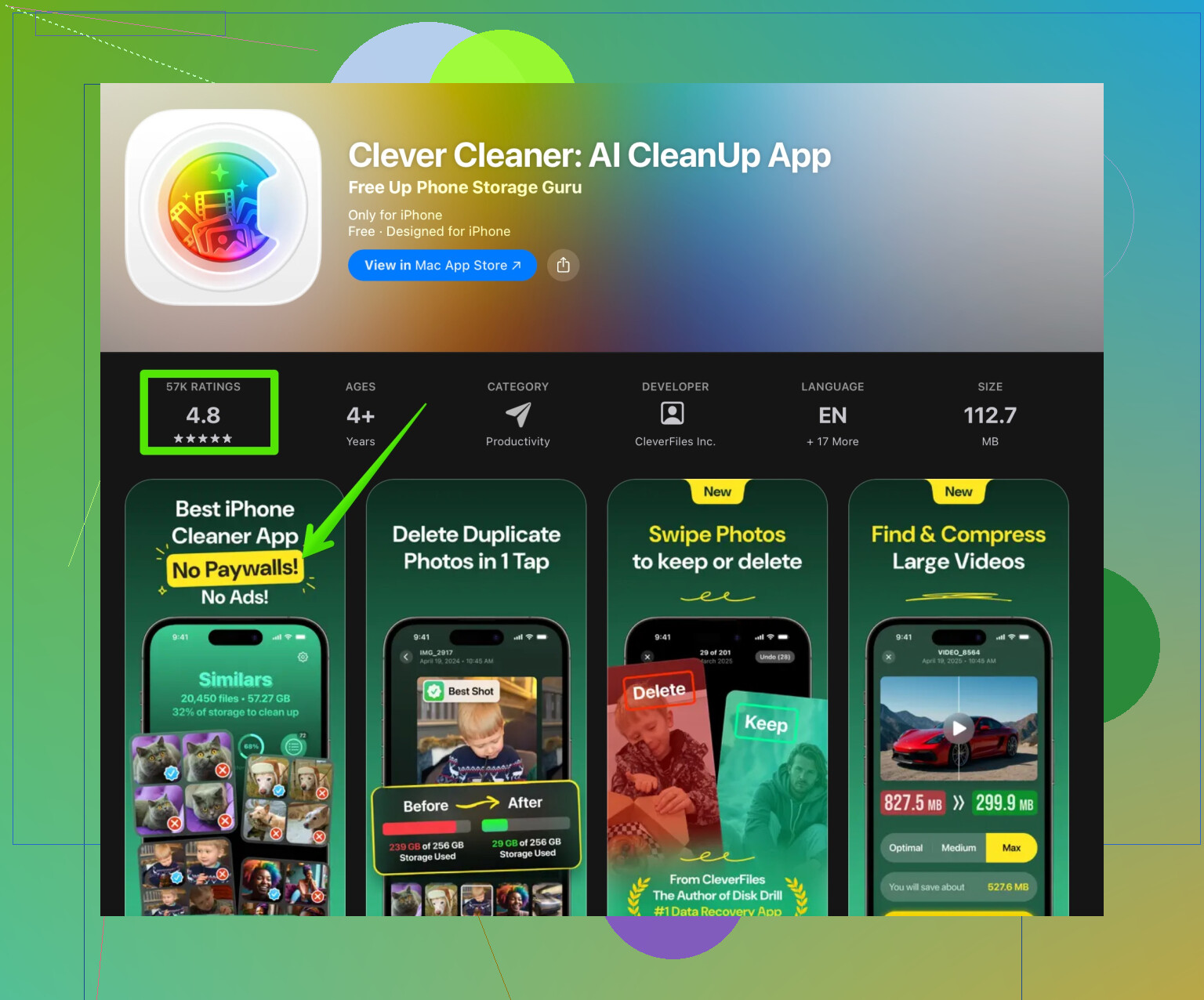
If you want to try one more, look for specific features instead of vague “AI speed” claims. For example, something like the Clever Cleaner App focuses on photo cleanup, duplicate detection, and storage management, which is where these tools have real use.
You can check it here
smart cleaner for photos and storage
Practical steps you can do manually on any phone before installing more apps
- Sort photos by size and delete large videos you do not need
- Remove apps you have not opened in a month
- Turn off auto download for media in chat apps
- Turn off unnecessary auto start features in settings
If your phone still feels slow after that, the issue is often old hardware or a bloated system update, not missing “AI cleaning.”
AI cleaner apps on phones are mostly marketing, with a few narrow use cases where they’re actually useful.
You’re basically asking: “Why do these ‘AI cleaner’ apps promise miracles, I install them, press ‘Boost 300%’, and my phone still wheezes like it did before?”
Short version:
- System already does 80–90% of real optimization.
- Most AI claims are buzzwords.
- The only semi-legit value is better storage management and maybe smart photo cleanup.
- Speed and battery miracles? Nope, not really.
@kakeru covered the basics really well about RAM, cache, and battery, so I won’t rehash all that. I’ll push a slightly different angle:
Where I slightly disagree
They said “Most ‘AI cleaner’ apps do almost nothing you can’t do yourself.”
Technically true, but in practice most ppl… don’t.
A decent cleaner can still be helpful if:
- You’re too lazy to manually go through 20k photos and 100 chat threads.
- You need a clear visual of “what’s eating my storage” instead of digging through system menus.
- You want quick bulk actions that the default gallery or file manager makes annoying.
So yeah, nothing magical, but convenience can be worth it.
Why they often feel useless
You tried a few and felt nothing because:
-
CPU & RAM throttling is hardware/OS limited
No cleaner can make your mid‑range 2018 phone feel like a 2025 flagship. They can’t change your chipset, thermal limits, or slow storage. -
Killing apps is usually pointless
They “free RAM,” then the OS relaunches important stuff, so you’re basically playing whack‑a‑mole with system processes. Net result: no speed gain, sometimes more battery drain. -
Cache clearing is temporary
Apps rebuild cache as soon as you use them again. It looks cool seeing “2.3 GB freed!” until a day later it’s back.
When these apps are actually useful
This is the only part I’ve seen that consistently helps normal users:
- Photo & video cleanup
- Find near-duplicates, blurry shots, endless screenshots.
- Spot huge videos and burst photos that are quietly eating 10+ GB.
- Large file discovery
- Surfacing “these 20 files are massive, delete or move them?”
- Organizing junk you wouldn’t manually hunt
- Old downloaded files
- Forgotten media from chat apps
- Random screen recordings
That’s where something like the Clever Cleaner App actually makes sense. It leans into:
- Smart photo cleanup
- Duplicate / similar image detection
- Straightforward storage management
If you want to see what I mean, look at something like
a smart photo and storage cleaner for iPhone
It’s not going to magically “boost performance 300%,” but it can make it easier to reclaim space and tidy your gallery without fighting system menus.
What to ignore completely
Red flags where I’d just nope out:
- “Speed up phone by 200%” or “extend battery by 300% with AI”
- Constant notifications to “boost now” or “your phone is in danger”
- VPN, antivirus, cleaner, and horoscope all in one app
- Requests for creepy permissions that make no sense for a cleaner
If an app needs to scare you or spam you to keep you using it, it’s probably doing more harm than good.
A clearer, search‑friendly take on your topic
Are AI phone cleaner and optimizer apps legit, or just hype? Many “AI cleaner” tools promise faster performance, more storage, and longer battery life, but real‑world results are usually underwhelming. Modern Android and iOS devices already manage memory and background processes efficiently, so killing apps and “boosting RAM” rarely offers a noticeable performance upgrade.
Where these apps can be genuinely helpful is in organizing storage: detecting duplicate photos, cleaning up screenshots, and surfacing large videos or files that are filling your device. A focused cleaner, such as a smart photo and storage cleanup tool, is more likely to provide real benefits than a generic “all‑in‑one AI optimizer.”
If you’re looking for practical improvement instead of marketing fluff, prioritize apps that specialize in photo cleanup and storage management, like those that highlight duplicate images, large media files, and old junk you no longer need. Avoid apps that rely on exaggerated claims about speed and battery gains, and look for consistent, long‑term user reviews instead of sudden bursts of 5‑star ratings.
So yeah, you weren’t imagining it. The apps you tried didn’t do much because there’s not much to do on the performance side. If you bother with one more tool, make it for storage and photo cleanup, not “AI turbo performance magic.”
5 Likes
If you didn’t feel much difference, that’s because for performance and battery, you usually won’t. The OS already does most of that heavy lifting. Where these tools can actually earn their keep is storage and media cleanup, not “AI turbo” magic.
I’m mostly on the same page as @kakeru, but I’m a bit less generous about the “optimizer” side. On modern Android/iOS, any app claiming big FPS gains or doubled battery is basically cosmetics. Killing background apps repeatedly can even hurt battery, since the system keeps reloading them.
Where I’d say they’re actually worth installing:
- You’re drowning in photos, videos, and downloads.
- You never touch the Files app or settings.
- You want a single screen that says “this junk is huge, delete it?”
On that front, something like the Clever Cleaner App makes more sense than those all‑in‑one “CPU cooler + antivirus + VPN + zodiac” bundles.
Pros of Clever Cleaner App:
- Good at spotting duplicate or similar photos, blurry shots, and ancient screenshots.
- Nice storage overview so you see what is actually filling space.
- Bulk actions are faster than poking through default system menus.
- Less aggressive “miracle performance” marketing compared to the worst offenders.
Cons of Clever Cleaner App:
- Not going to noticeably speed up an old or low‑end device.
- Cache and “junk” cleaning effects are temporary by design.
- Can encourage people to over‑trust automation and accidentally delete stuff if they do not review suggestions.
- Still another app taking some space and running occasionally in the background.
So: are AI cleaner apps legit? For performance and battery, mostly marketing fluff. For storage and photo cleanup, some are genuinely useful, especially if you do not want to manually manage thousands of files. If you try one more, pick a focused cleaner like Clever Cleaner App and treat it as a storage assistant, not a magic performance upgrade.