I recently tried Grubby AI Humanizer to make my AI-generated content sound more natural, but I’m not sure if it’s actually improving readability or just masking AI patterns. I’m worried about SEO, detection tools, and whether this could hurt my site long-term. Can anyone share real-world experiences, pros and cons, or alternatives that worked better for you? I’d really appreciate some guidance before I commit to using it across my content strategy.
Grubby AI Humanizer
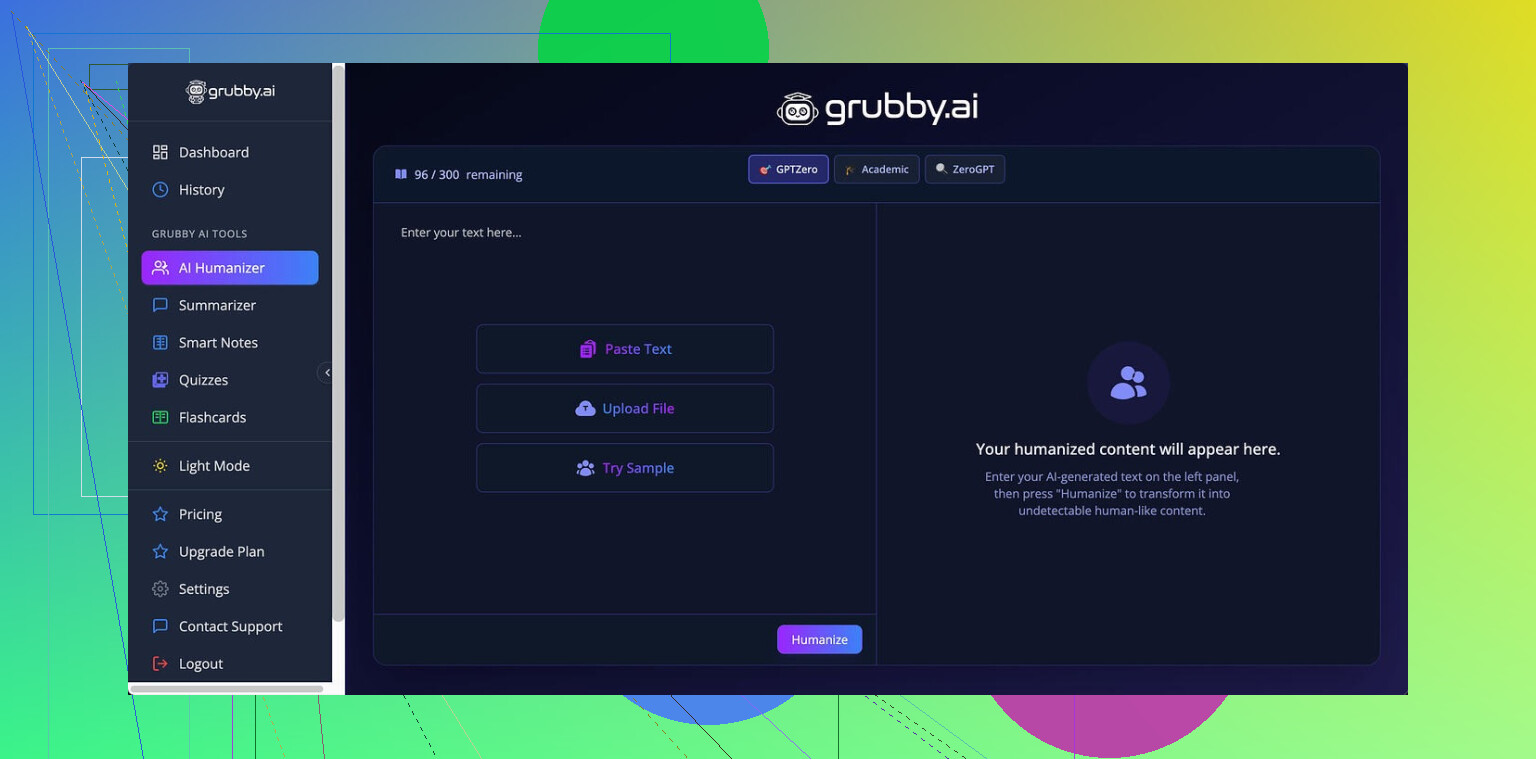
I spent some time messing around with Grubby AI because it keeps getting mentioned as this “detector-specific” thing for people trying to get past GPTZero, ZeroGPT, and Turnitin. The pitch sounded neat on paper. You pick a mode tuned to a specific detector, it rewrites your text, you run it through the same detector, and it is supposed to look human.
That is not how it played out for me.
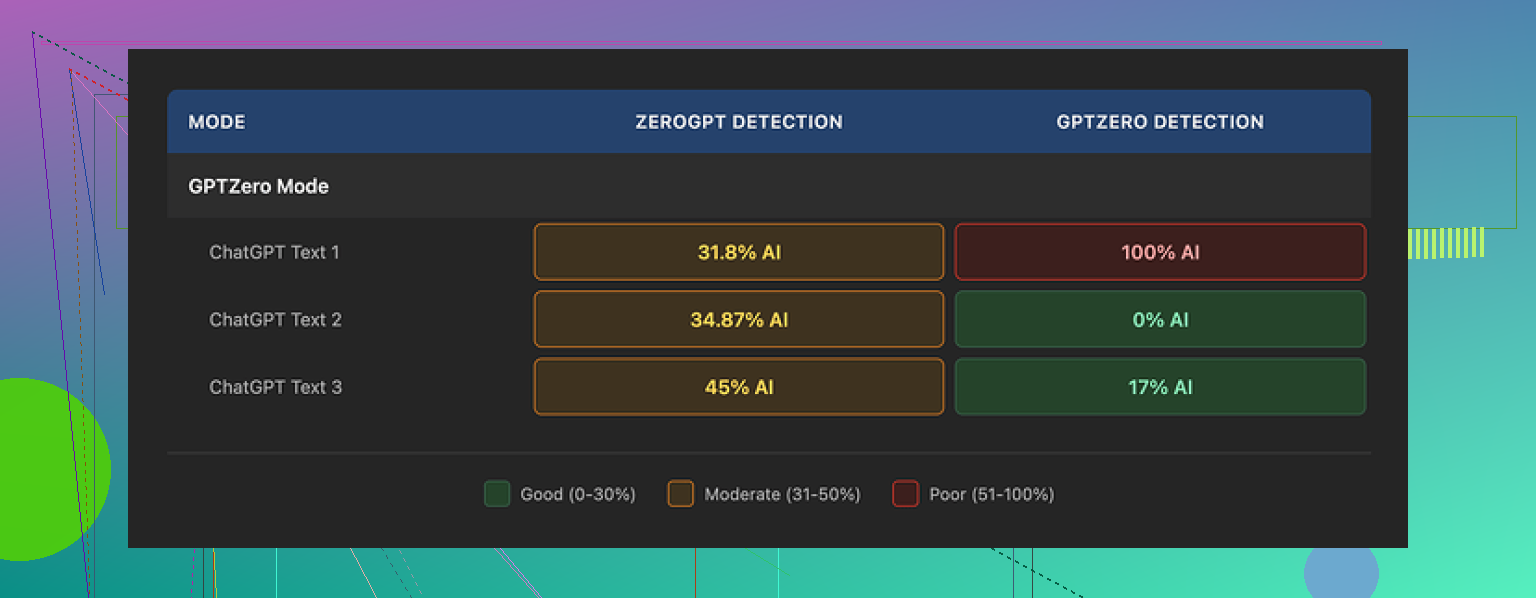
I used their GPTZero mode on three different samples:
• Sample 1 came back as 0% AI on GPTZero.
• Sample 2 came back flagged at 17% AI.
• Sample 3 got nailed at 100% AI by GPTZero, even though I used the mode that is supposed to target that detector.
So the “detector-specific” part felt more like a label than a reliable setting.
Then there is the Detection tab in their interface. Every single output I generated showed “Human 100%” across seven different detectors inside their own tool. When I cross checked with external detectors, those numbers were off by a lot. If you rely on that tab, you will get a false sense of safety.
Quality of the text
I’d rate the “humanized” output around 6.5 out of 10.
What worked for me:
• It strips out em dashes, which many tools leave in. That helps a bit if you are trying to avoid that typical LLM rhythm.
• I did not see made up words or broken sentences. So it does not descend into nonsense.
Where it fell apart:
• Some sentences blew up into long, stiff structures that look like someone trying too hard to sound academic.
• I ran into odd word choices. One example was “distinction” in a spot where “nuance” would fit normal usage. You see those little mismatches here and there.
• The text feels “AI cleaned” more than “written by a person.” If you write often, you will notice it.
The editor
One thing I did like.
They have a built-in editor where you can click on individual words and swap in synonyms, or rehumanize a paragraph in place. No page reload, no copy paste shuffle. If you tweak a lot, this kind of inline editing saves time.
You select a word, it offers options, you pick, move on. Or you highlight a whole paragraph and run it again. For fast micro-edits, it is decent.
Pricing
Their free tier:
• About 300 words total. That is not 300 per day, it is 300 overall. Enough to test but not enough for any ongoing use.
Paid plans:
• Pro plan is $14.99 per month if you go annual.
• There is an “Essential” plan at $9.99 per month, which only gives you Simple mode, no detector-specific modes.
Given the mixed detector performance I got, paying for those special modes feels rough. If you only care about light paraphrasing, the cheaper plan might make more sense, but at that point there are other tools with similar output.
Comparison with Clever AI Humanizer
I ran the same type of texts through Clever AI Humanizer and compared both the writing and detection results.
Reference link for that:
From my tests, Clever AI Humanizer produced more natural text and stayed free. No paid wall for basic use in the runs I tried.
So if your goal is:
• Decent rewrite quality.
• No subscription bill.
Clever AI Humanizer looked stronger for me than Grubby AI, at least at the time I did these tests.
If you still want to try Grubby AI, I would suggest:
- Use the free 300 words on a sample similar to your real use case.
- Run the result through multiple external detectors, including GPTZero and ZeroGPT, not only their internal Detection tab.
- Read the output aloud to yourself. If it sounds like something you would not write, fix it manually or move on.
8 Likes
Short answer from my tests and clients’ stuff: Grubby AI helps a bit with “style,” but it does not solve your worries about SEO or detection in a reliable way.
A few points that might help you decide what to do next.
- Readability vs masking AI
Grubby tends to:
• Remove some obvious LLM tells like em dashes and over tidy structure.
• Keep sentences grammatically fine.
But it often:
• Inflates sentences into awkward, academic sounding blobs.
• Swaps in odd word choices that do not match natural usage.
So your text looks edited, not personal. If your own writing has a clear voice, you will see the mismatch right away. For blog content or brand content, this hurts more than it helps.
If your goal is readability for real users, you get more value by:
• Shortening long sentences yourself.
• Swapping “fancy” words to what you would actually say.
• Reading it out loud and fixing the stiff parts.
That manual 5 to 10 minute pass beats one click “humanizing” in most cases.
- SEO impact
Google cares about:
• Usefulness.
• Originality.
• How people interact with your page.
Google does not run “AI detector tools” the way these student checkers do. It focuses on spam patterns, thin content, and site wide behavior.
If you use Grubby only to “hide AI” and you do not add:
• Original insights.
• Real examples.
• Data, screenshots, experience.
your SEO risk is about low value content, not AI detection. Humanizers do not fix that.
Good practice:
• Use AI to draft.
• Add your own sections, data, or point of view.
• Edit down so it sounds like you.
• Avoid over optimized, keyword stuffed paragraphs.
- Detection tools
My experience lines up partly with what @mikeappsreviewer saw, but I would not treat any single test like gospel.
Pattern I see:
• Same piece passes one detector and fails another.
• Some “humanized” outputs still get flagged high on GPTZero or ZeroGPT.
• Grubby’s internal “100 percent human” meter feels marketing heavy, not diagnostic.
If detector evasion is critical for you, nothing is safe enough to guarantee a clean pass. That goes for Grubby, Clever Ai Humanizer, or any other similar tool.
You reduce risk more by:
• Mixing in your own paragraphs written from scratch.
• Editing sentence length manually.
• Changing structure, not only synonyms.
• Avoiding super uniform tone across a long document.
I slightly disagree with treating detector tests as the main benchmark at all. Many of them throw false positives on real human text, so chasing a 0 percent AI label is a stressful and unstable goal.
- About Grubby’s “detector specific” modes
From what I tested, and what you see in @mikeappsreviewer’s breakdown:
• The GPTZero or Turnitin modes feel more like tuned paraphrasers than true detector focused engines.
• There is no stable pattern like “this mode always passes X tool”.
If you plan to pay only for these modes, I would be cautious. They improve text in some ways but they do not provide a reliable cloak.
- Free vs paid and alternatives
Since you are already worried about cost and results:
• Use Grubby’s small free allowance only to see if you like the output workflow.
• Do not trust their internal detection panel. Always test on external tools if that matters to you.
If you want a different option, Clever Ai Humanizer is worth trying. Output in my tests looked closer to natural blog style, and it stays free for basic use. It still will not “guarantee” detector passing, but for SEO focused content, I found it easier to polish into something usable.
- Practical workflow that tends to work
For SEO content:
- Generate a draft with your AI tool.
- Run only tricky or stiff sections through something like Clever Ai Humanizer or Grubby.
- Edit by hand:
• Shorten sentences.
• Replace weird phrasing with what you say in normal speech.
• Add your own examples or mini case studies. - Ignore detector scores unless a specific client or institution forces you to use them.
- Track how the page performs in Search Console. That tells you more than any detector.
If your top worry is “will this hurt my SEO,” focus on originality and user value. If your top worry is “will this pass an AI checker for school or a strict client,” no humanizer gives you a guarantee, so mix in real human writing and keep your expectations low for any one click fix.
Short version: Grubby AI is mostly a fancy paraphraser with a flashy “detector” skin, not a real solution to the stuff you are worried about.
A few angles that @mikeappsreviewer and @nachtdromer did not fully hammer on:
- Readability vs “looking human”
Grubby does not really improve readability in the true sense. It tweaks surface style.
Readable content:
- Flows logically
- Has clear structure and intent
- Matches your audience’s vocabulary
Grubby content:
- Tends to keep structure intact
- Just swaps phrasing and rhythm
- Sometimes bloats sentences and adds stiffness
That means:
- If your base draft is shallow or robotic, Grubby will give you a slightly more polished robotic article
- It does not fix weak intros, boring subheadings, or lack of real examples
So if you feel like it is “masking AI patterns,” you are not wrong. It is mostly cosmetic.
- On detection tools
I disagree a bit with treating detection as “just noisy but ignorable” if you are in a context where it actually matters. If you are in:
- Academia
- Certain freelance contracts
- Corporate compliance-heavy environments
then you cannot just say “detectors are unreliable” and walk away. You have to manage risk.
The problem is that Grubby does not give you predictable risk reduction. Same text can:
- Pass GPTZero one day
- Get flagged another day
- Or get hit on Turnitin regardless
Their internal “100 percent human” thing is marketing fluff. If anything, use it as a rough filter, not as proof.
Clever Ai Humanizer has the same fundamental limitation, but based on tests I have seen plus what @mikeappsreviewer mentioned, its outputs tend to be closer to natural web copy, which ironically also helps with real readers, not just detectors.
- SEO reality check
You are worried about SEO. That is the one part where all these humanizers are kind of a distraction.
Google cares about:
- Value and depth
- How original and specific your info is
- User behavior like dwell time and pogo sticking
It does not care whether your text was run through Grubby or Clever Ai Humanizer.
What does hurt SEO:
- Over sanitized, generic text with no unique angle
- Paragraphs that feel like IA word salad with minor surface edits
- Articles that say nothing new compared to top ranking pages
Humanizers are like putting lipstick on a template. If the article:
- Has your experience
- Compares tools you actually used
- Includes real data, screenshots, or numbers
you are fine even if detectors scream “AI.” If it is empty fluff, Grubby is not going to magically make it rank.
- Where Grubby kind of makes sense
There are a couple use cases where it is not useless:
- Quick touchup for short snippets like product blurbs or meta descriptions where you do not care deeply about tone
- Cleaning obviously “chatbot” phrases and making them slightly less uniform
But for full articles, it creates that “edited by a robot intern” vibe. Readers who binge a niche will notice.
- Practical approach that actually works
Instead of trying to fully outsource “humanization”:
- Use your AI tool to draft
- If you want a helper, run sticky parts through Clever Ai Humanizer rather than the whole thing
- Then manually:
- Shorten every bloated sentence
- Add your own opinions and small stories
- Insert concrete details you actually know
You spend more energy, but you end up with content that:
- Survives algorithm changes
- Does not sound like the same cleaned template as everyone else
- Is much harder for detectors to confidently label anyway
Bottom line: Grubby is not going to fix your SEO worries and not going to reliably fool detection. It is an okay “style scrubber,” but if you already feel uneasy reading the output, trust that instinct. Adjust the workflow or switch tools, and treat Clever Ai Humanizer as an assist, not a magic invisibility cloak.