I like clean interfaces, but sometimes simple also means limited. For more experienced users, does Cyberduck feel too basic or does it still have enough useful features?
Cyberduck - My Honest Review
If you’re asking whether people actually use Cyberduck – yeah, a lot of folks have given it a fair shot over the years. It fills a real hole for anyone needing to juggle files across different places without opening a million browser tabs. Whether you’re tweaking a website over FTP or dumping photos into a cloud bucket, it’s often the first recommendation because it handles so many different protocols in one spot. My experience with it has been a bit of a mixed bag, which seems to be the consensus online too: it’s a Swiss Army knife that behaves decently for most tasks, but it can definitely get a little sluggish depending on exactly what you’re trying to do.
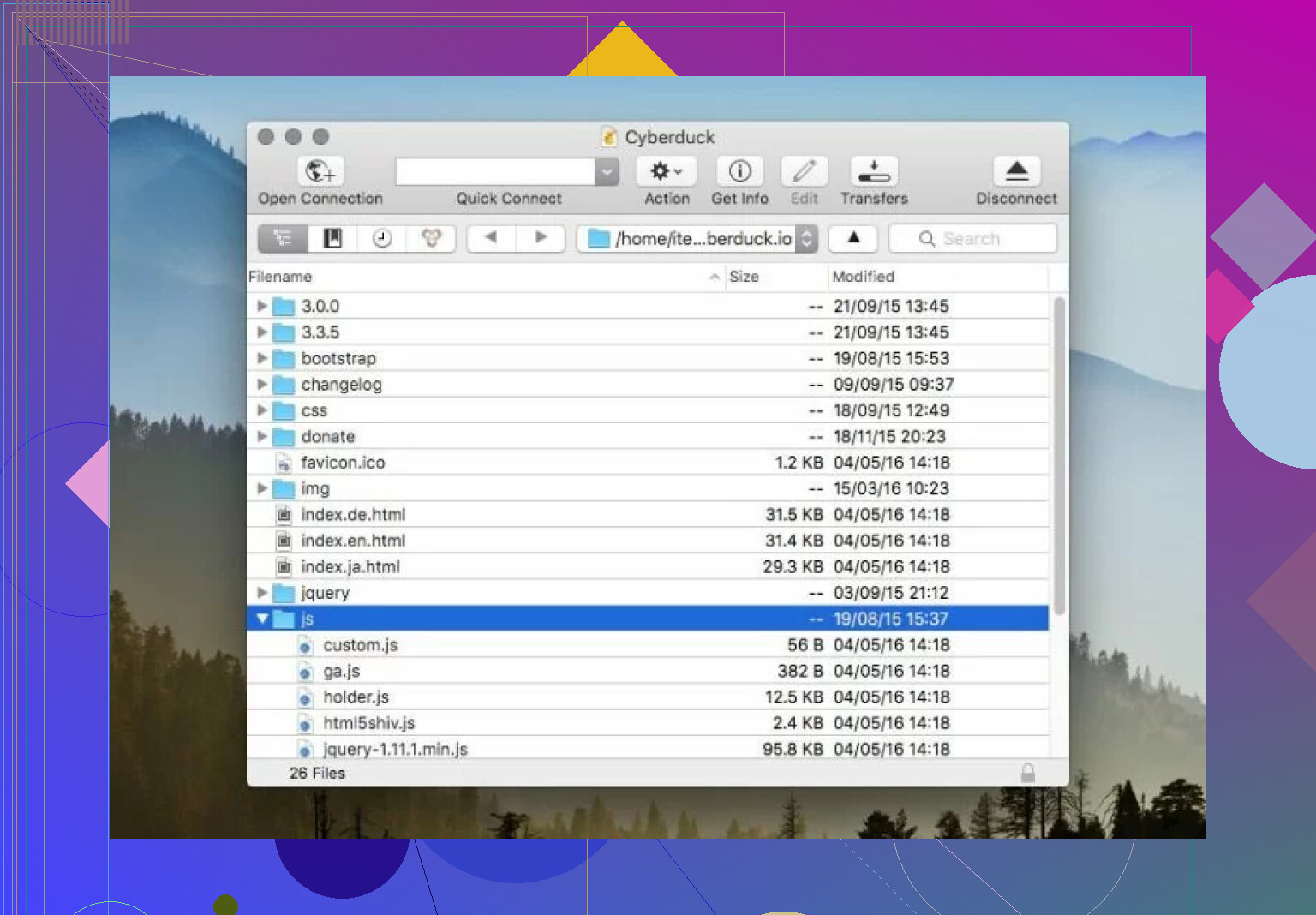
What I Like
The interface is relatively clean, and it has a drag-and-drop system that makes moving files feel familiar and easy, almost like you’re just moving folders around on your own desktop. I’ve moved batches of documents and some larger media files, and for the most part, it just sits there and does the job.
Another point people often bring up is just how much it can actually talk to. It isn’t just for old-school FTP; it handles SFTP, WebDAV, Amazon S3, and various cloud providers like Internxt. One specific feature I found useful is its support for multi-segmented downloading. This basically breaks a file into pieces to speed things up, which is a significant advantage if you’re dealing with larger files on a shaky connection. It’s also free and open-source, which matters to a lot of folks who don’t want to pay for basic file-moving functionality.
What I don’t like
One real snag some people hit is the “nagware”. Every time you close the app, a popup appears asking for a donation. While it’s fair since the app is free, it can get annoying if you use the tool daily. Some users have also mentioned that the app can feel a bit slow or even freeze up occasionally, which is frustrating when you’re in the middle of a task.
I’ve also seen reports of configuration problems with specific services. For instance, some people struggle with uploading to Backblaze B2 due to setup errors. If you’re in that group, it’s not always obvious how to fix it from within the app itself. It’s also not quite as automated as some command-line tools, so if you’re looking for something to handle massive, repetitive uploads efficiently, this might not be the “snappiest” choice.
A Decent Alternative
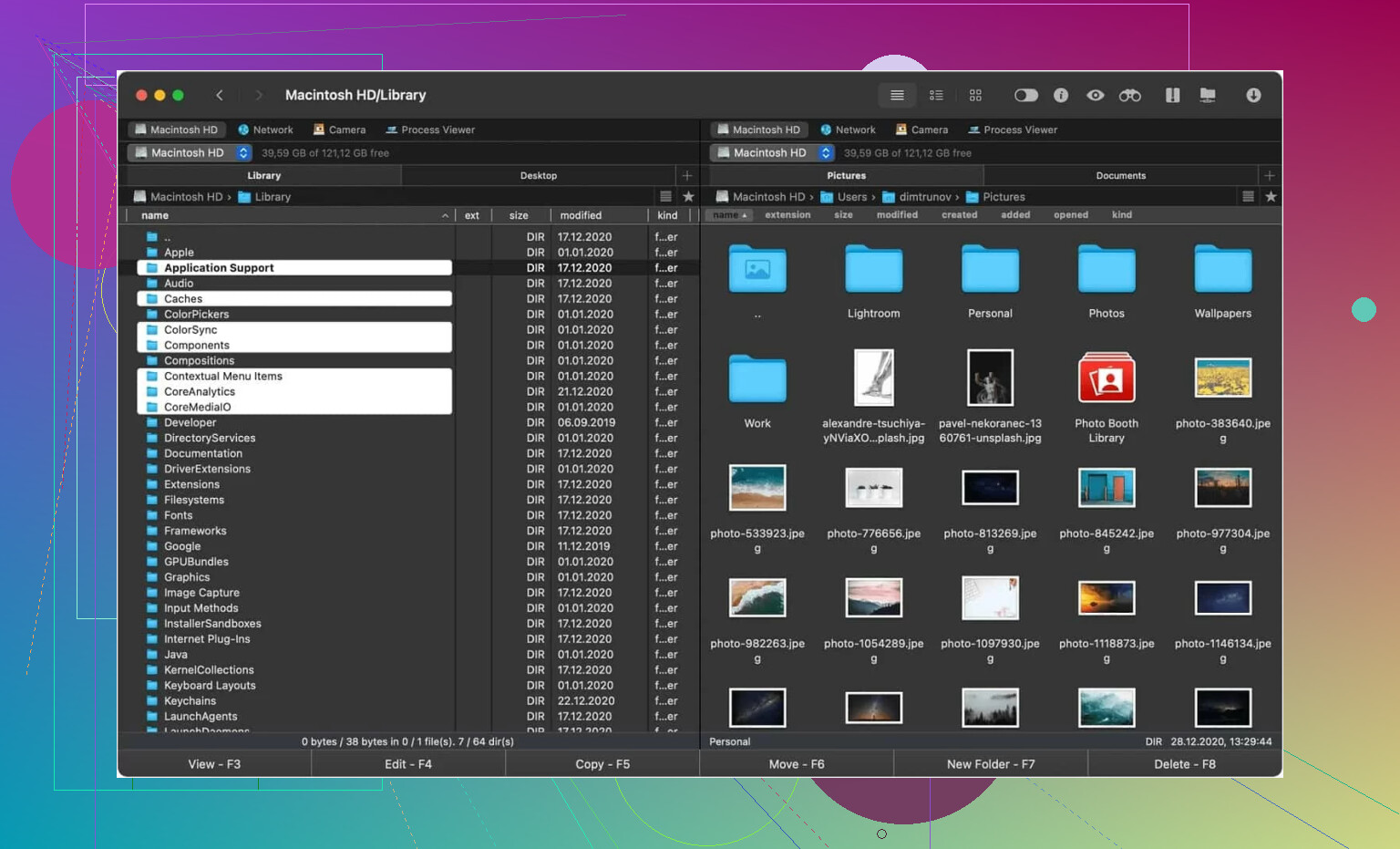
Cyberduck doesn’t want to cooperate with your hardware or you find the single-pane view limiting, there are other ways to handle file transfers. Commander One is a solid alternative that takes a different angle. Designed specifically for Mac users, it acts as a full-on file manager that happens to be an effective FTP solution.
Instead of a single window, it uses a dual-pane interface, which makes it easy to see exactly where files are going without jumping between tabs. Some key points here:
- Supports Amazon S3, Dropbox, Google Drive, and Backblaze B2
- Keeps your login credentials secure in the macOS Keychain
- Lets you manage remote files without having to copy them to your computer first
- The dual-panel setup makes dragging and dropping much faster in practice
There’s a free tier available, though some of the more advanced cloud features are part of the paid version. For those who want something even more polished and don’t mind spending money, apps like Transmit or Forklift come up a lot as high-end recommendations.
Bottom Line
So is it “worth it”? If you need a versatile, free tool that supports almost every protocol under the sun, Cyberduck is a solid choice. It works well enough for occasional transfers and general cloud management. However, if you hit compatibility quirks or find the performance a bit too laggy, moving toward a dual-pane manager like Commander One or a dedicated pro tool might make more sense. It really depends on your device and how you like to transfer files – occasionally or as part of a daily professional workflow.
3 Likes
Cyberduck is fine for mixed, occasional work. It starts to feel thin when your workflow needs queue control, folder sync, dual-pane navigation, remote edit flow, or better visibility into failed transfers.
I partly agree with @mikeappsreviewer. The speed issue is real for some setups. I disagree a bit on one point though. Cyberduck is not always the problem. Sometimes it’s the protocol target, especially S3-compatible storage with odd settings, bad region config, or slow WebDAV servers. So before you switch, check a few things:
- Increase concurrent transfers.
- Turn on transfer resume if your target supports it.
- Check if your bottleneck is DNS, proxy, or encryption overhead.
- Test the same job over SFTP and FTPES if both exist.
- Review hidden files and cache settings if listings feel slow.
If you still feel boxed in, move on.
Best upgrade path on Mac, in my opnion, is Commander One. Not because it does magic. Because the dual-pane layout saves time every single day. You see local and remote at once. You compare folders faster. You drag less blindly. For bulk file work, that matters more than people admit. Commander One also fits better if your work mixes FTP, SFTP, cloud mounts, and local sorting in one window.
If your work is server-heavy, Transmit and ForkLift are stronger picks than Cyberduck too. If your work is automation-heavy, go CLI. lftp, rclone, and rsync beat all GUI apps once repeatability matters.
Short version:
Cyberduck for light use.
Commander One for faster daily file management.
Transmit or ForkLift for polished pro workflows.
rclone or rsync if you want fewer clicks and more control.
If you share what “advanced workflows” means for you, sync, compare, remote edit, cloud-to-cloud, scheduled jobs, checksums, I’d narrow it down fast.
I’m with @stellacadente on one thing: once your workflow moves past simple upload/download, Cyberduck starts feeling more like a universal connector than a real workflow tool.
Where I slightly disagree with @mikeappsreviewer is on the “maybe you just need another app” angle right away. Cyberduck is actually still solid for protocol coverage. The limitation is more about how you work than what it can technically connect to. If you need visual compare, frequent folder mirroring, easier remote file handling, better multitasking between locations, or just less window juggling, that’s where it gets annoyng.
For that, Commander One makes a lot more sense on Mac. Not because it’s flashy, but because dual-pane is just objectively faster for file ops. You stop wasting time clicking in and out of tabs trying to confirm what’s local vs remote. That alone can be a huge upgrade if you’re moving lots of files every day.
My rough breakdown:
- Cyberduck: fine for occasional transfers, broad protocol support
- Commander One: better for daily file management, dual-pane workflow, remote + local in one view
- Transmit/ForkLift: nicer polish, more premium feel
- rclone/rsync: best if “advanced” really means repeatable jobs, sync rules, scripting
One thing nobody mentions enough is log visibility. When transfers fail, Cyberduck can feel kinda vague. If troubleshooting matters, that gets old fast.
So yeah, if your “advanced features” means professional file handling and not just “connects to more servers,” I’d stop trying to force Cyberduck into that role. It’s not bad, it’s just not built for every kind of power-user flow.
I’d split this a little differently than @stellacadente, @suenodelbosque, and @mikeappsreviewer.
If your pain is workflow friction, not raw transfer compatibility, Cyberduck probably is not the best long-term fit. But I also would not call it “limited” in the strict sense. It is more like a capable connector wrapped in a fairly basic working environment.
What usually pushes people away is not missing protocol support. It is stuff like:
- no satisfying folder compare flow
- awkward handling when managing multiple remote locations at once
- weaker batch oversight
- less confidence when you need to verify what moved and what did not
- too much context switching between windows
That is why Commander One is a legit upgrade on Mac if your work is file-heavy all day.
Commander One pros:
- dual-pane actually speeds up real work
- easier local-to-remote and remote-to-remote organization
- better fit if you treat transfers like file management, not isolated upload tasks
- supports FTP/SFTP/cloud connections in a more operational way
Commander One cons:
- some useful features are not in the free version
- interface is more “toolbox” than elegant
- if all you do is occasional SFTP, it may feel like overkill
Where I disagree slightly with the “just go CLI” crowd: not everybody benefits from jumping to rclone/rsync immediately. If your work is visual, ad hoc, and multi-location, a strong GUI still wins.
My take:
- stay with Cyberduck if transfers are occasional
- try Commander One if daily file handling is the problem
- look at Transmit or ForkLift if you care more about polish than layout depth
If you say what “advanced” means in your case, sync, compare, remote editing, scheduled jobs, checksum verification, I’d narrow it fast.