I accidentally deleted important files from an APFS-formatted SSD on my Mac and need to know if recovery is still possible. I’m worried TRIM or SSD behavior may have erased the data permanently. What are the safest APFS file recovery steps or tools to try before I make things worse?
First thing: stop using that drive if you care about getting the files back. Don’t install stuff on it, don’t copy anything to it, don’t keep rebooting and messing around if you can avoid it. The less you write to it, the better your odds.
On a regular hard drive (HDD), deleted files are often still sitting there until something overwrites them. So recovery can be pretty decent if you catch it early.
With an SSD, it’s more hit-or-miss because of TRIM. Once TRIM has cleared the deleted blocks, recovery software can’t magically bring them back. That’s the big reason to stop using the Mac right away when you notice files are missing.
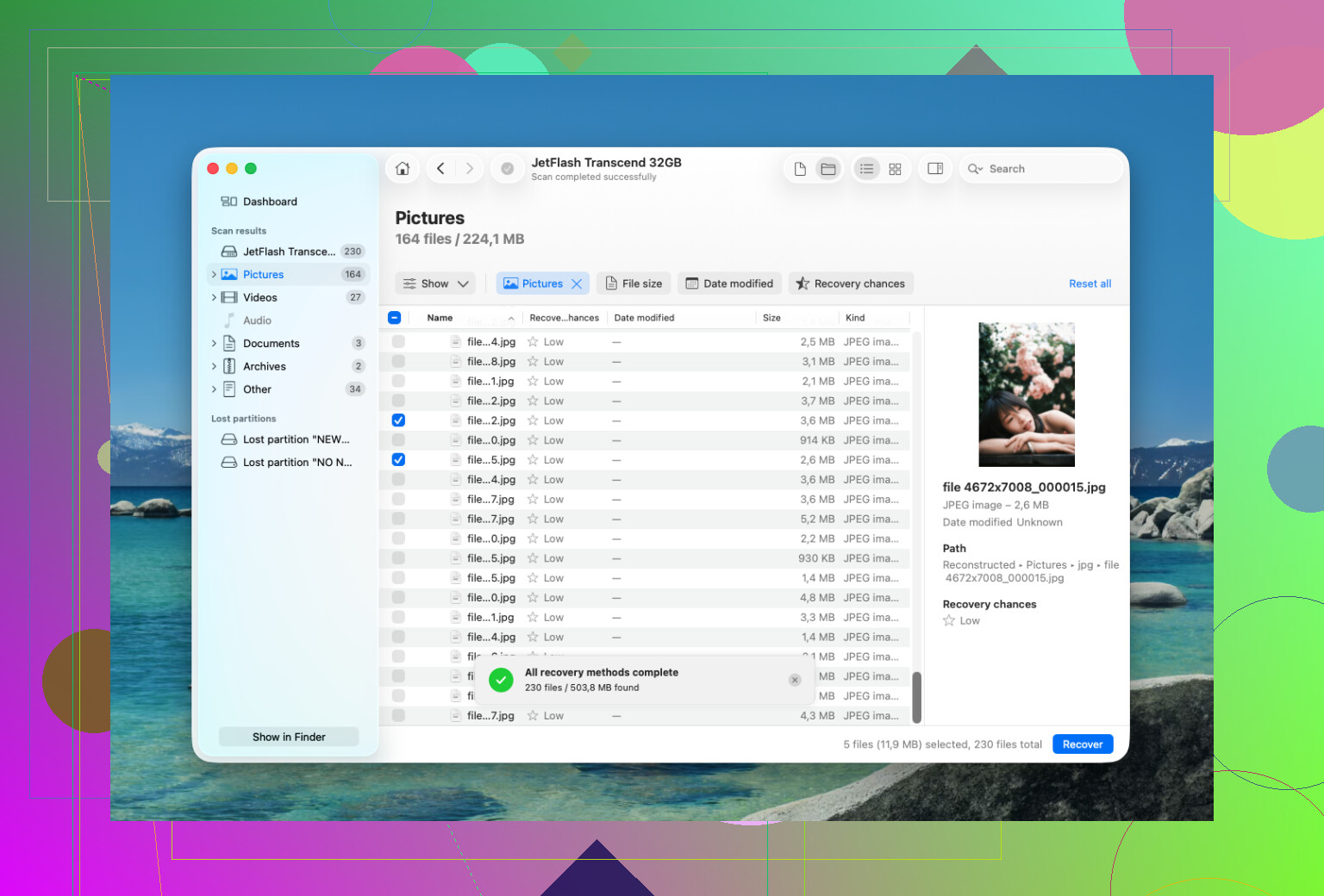
I used Disk Drill for this, and it was pretty straightforward.
The basic process was:
- Install Disk Drill somewhere else, not on the drive you’re trying to recover.
- Connect the APFS drive, or pick the internal drive if that’s where the deleted files were.
- Give it Full Disk Access in macOS when prompted, since APFS scans can be limited without it.
- Select the APFS volume and run the full “Search for Lost Data” scan.
- Let the scan finish before pulling files out. In my case, waiting found more stuff.
- Use preview first, especially for photos and documents, so you know the files actually open.
- Recover the files to a different drive. Don’t save them back to the same APFS volume.
One useful thing with Disk Drill was that it kept the folder structure for a lot of the recovered files. That matters more than it sounds, because sorting through thousands of random filenames gets old fast. It also shows recovery chances on many files, so you can get a rough idea of what’s likely to come back properly before recovering a huge batch.
If you erased the drive in Disk Utility, that doesn’t always mean the data is instantly gone. A quick erase often removes the file system records, not every bit of data on the disk. If you haven’t written new data to it, recovery may still be possible.
The big exception is an encrypted APFS volume. If FileVault was on and the volume was formatted, the old encryption keys may be gone. If that happens, the old data usually isn’t recoverable.
If Disk Drill doesn’t turn up what you need, PhotoRec is another option. It’s free, but it works differently. It scans for file signatures instead of using APFS metadata, so you’ll usually lose filenames and folder organization. Still useful if you mostly need photos or videos back.
I would not keep trying software recovery if the drive seems physically unhealthy. Stop if it:
- keeps disconnecting,
- clicks, grinds, or beeps,
- only shows up sometimes,
- or freezes during every scan.
At that point, a recovery lab is the safer move. Powering up a failing drive over and over can make the damage worse. Many decent labs will do a free evaluation, and a lot of them work on a “no data, no fee” basis. Logical recovery might be a few hundred dollars, while physical damage or clean-room work can easily go past $1,000.
If this is just deleted files or a quick format, though, software recovery is usually where you have the best shot. Just act fast and avoid writing anything else to the drive.
5 Likes
Check snapshots first.
If Time Machine was enabled, APFS may have a local snapshot from before the deletion, and restoring from that is safer than running recovery scans. If there’s no snapshot or backup, then @mikeappsreviewer is right: on an SSD with TRIM, recovery is possible only until the deleted blocks have actually been cleared.
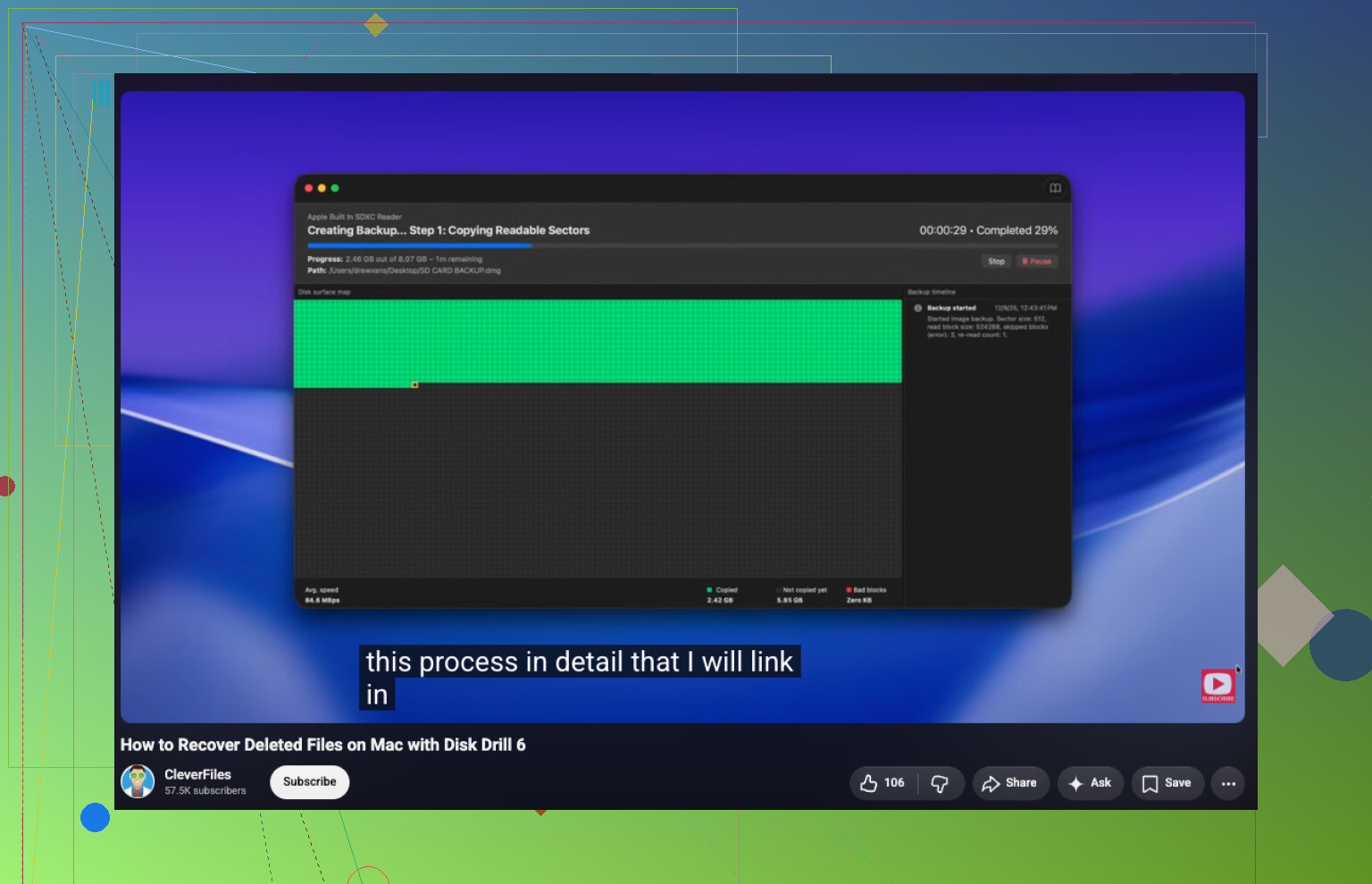
Do not run a recovery scan against the only copy of that SSD if the files matter. Scanning is read-heavy, but a flaky external SSD or a Mac that keeps mounting/indexing the volume can still make a bad situation worse, so the cleaner move is to make a byte-for-byte image of the drive first and scan the image. That is the piece people skip because it takes another drive and some patience. I agree with checking APFS snapshots before anything else, since that is recovery without guessing. If there are no snapshots, then tools like Disk Drill are worth trying, but treat the results as “maybe” until you preview the files. With APFS on an SSD, especially an internal Mac SSD with TRIM, deleted does not mean “sitting safely in the trash behind the scenes.” Sometimes the window is already closed.