I’d love to hear a breakdown of what it’s actually like to live with this tool. Does it simplify things if you have multiple different cloud services, or does it just add another layer of complexity to your setup?
 What Mountain Duck is
I’ve used Mountain Duck for a while now, mostly as a way to simplify how I deal with cloud storage and remote servers. The basic idea is simple: it mounts things like Google Drive, SFTP servers, or S3 buckets as if they were local drives in Finder (on macOS) or File Explorer (on Windows).
In practice, that means your remote files show up right alongside your normal folders. You can open, edit, rename, or move them like they’re stored on your computer. In my experience, that’s the main appeal , it removes that constant back-and-forth between browser tabs and apps.
It also uses smart synchronization, so files stay in the cloud until you actually open them. I noticed this pretty quickly when working with larger files , you see everything instantly, but the actual download only happens when needed, which helps save space.
## 🔧 Features I kept coming back to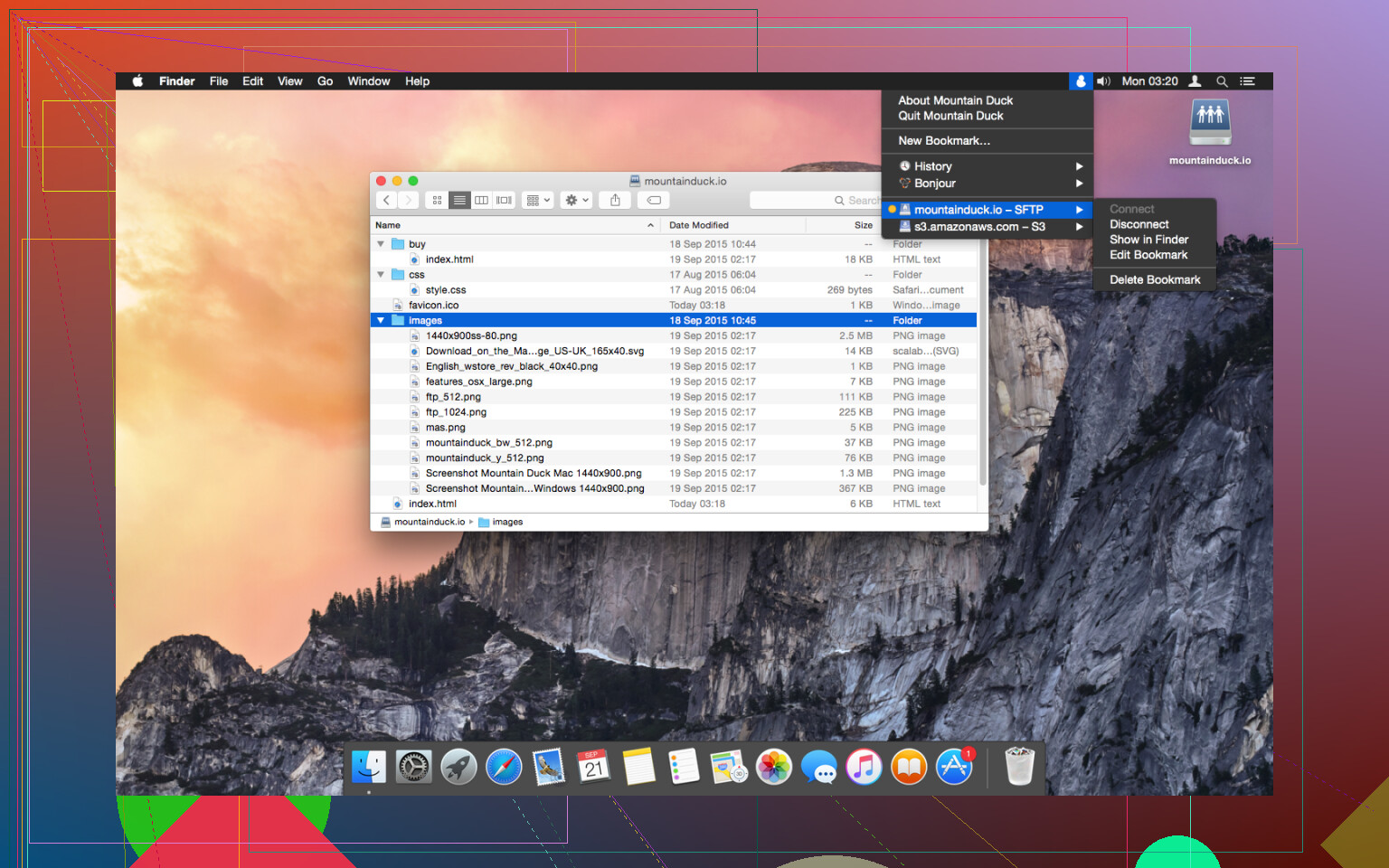
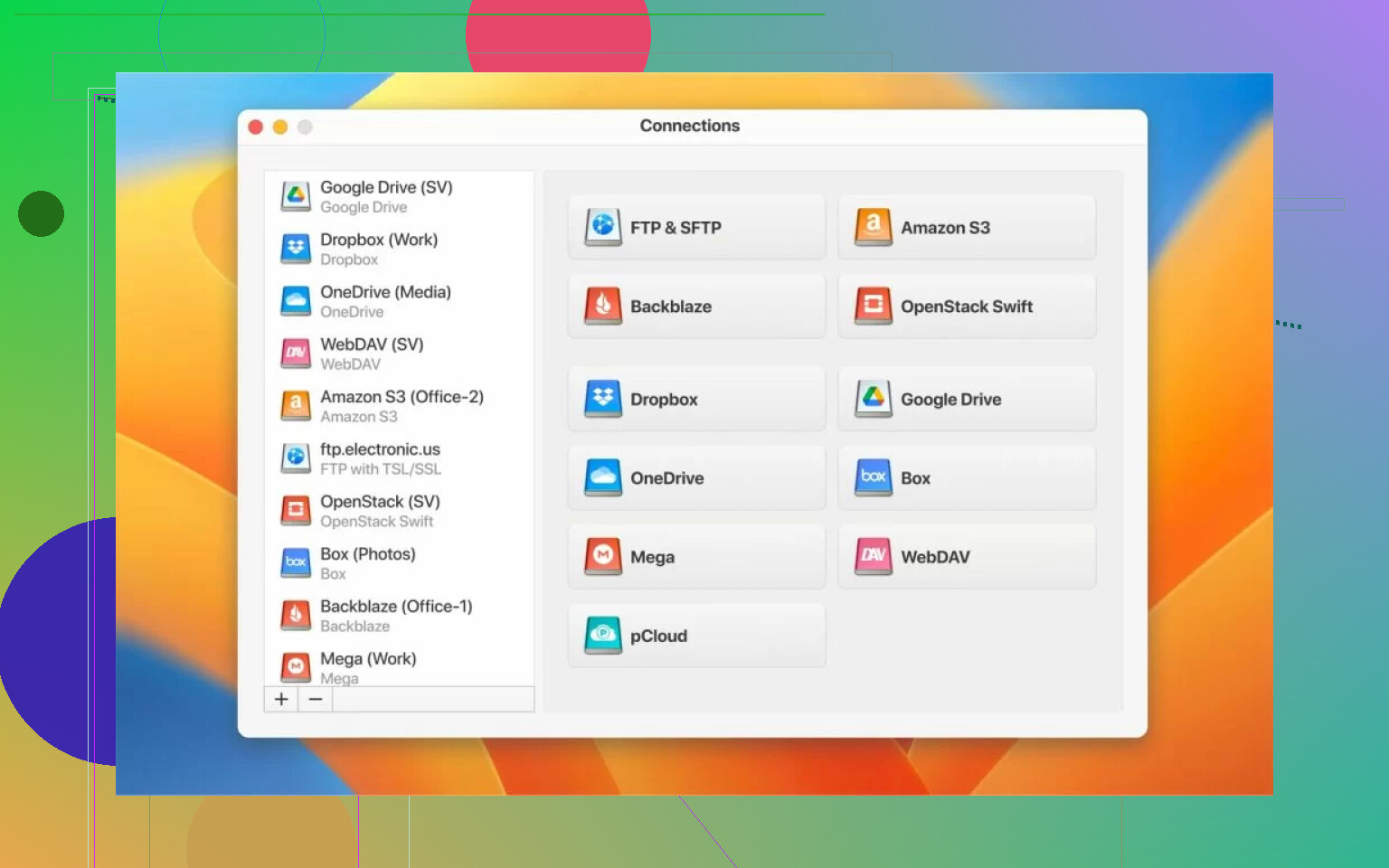
One thing I’ve noticed, and what people often bring up in threads, is how many services it supports. I’ve personally used it with SFTP and Google Drive, but it also handles FTP, WebDAV, SMB, Amazon S3, Dropbox, OneDrive, and Azure. If you’re juggling multiple services, it’s convenient having them all in one place.
The Finder integration is another big part of the experience. It doesn’t feel like a separate tool most of the time. You can drag and drop files, use Quick Look, and organize things normally. In my day-to-day use, I stopped thinking about where files were stored , which is kind of the point.
There’s also Cryptomator integration for encryption. I tested it briefly, and it works as expected. You can encrypt files before uploading them, which matters if you’re storing anything sensitive. A lot of users mention this as a reason they stick with Mountain Duck.
It’s also actively maintained. Updates come out fairly regularly, and while they sometimes introduce small quirks, it doesn’t feel like abandoned software.
 What it’s like in everyday workflows
In my experience, Mountain Duck works best when you treat it as part of your system rather than something you actively “use.” For example, I’ve edited files directly on a remote server without downloading them first, or moved files between different cloud services just by dragging them.
That kind of workflow is where it makes sense. It’s less about features and more about reducing friction.
That said, your internet connection plays a big role. Since files load on demand, opening something large can take a bit, which is expected but still noticeable.
 The big issue: large folders and slowdowns
The main downside , and something I’ve seen come up a lot , is how it handles large file collections.
In my experience, it works fine with smaller folders. But once you start dealing with thousands of files or deep folder structures, things can slow down. I’ve had Finder take longer to load directories, and sometimes just clicking through folders felt a bit sluggish.
This lines up with what users have reported: slow performance with large file collections. It’s not a constant problem, but it shows up often enough that it’s worth calling out. It reminds me a bit of how some tools work great until you scale up your data, and then you start noticing limits.
Other folks in these threads say similar things , especially when multiple mounts are active. It doesn’t break, but it can feel heavier than expected.
 Alternative I tried: CloudMounter
At some point, I tried CloudMounter, mostly because people kept comparing it to Mountain Duck.
It’s probably the closest alternative for GUI-based Finder integration. It supports popular cloud services like Google Drive, Dropbox, and OneDrive, along with remote servers, and it includes built-in encryption.
In my experience, the setup felt simpler. You log in with your credentials, and within a few minutes your files show up in Finder, ready to use.
A few things stood out to me and match what others often mention:
- It supports services like Amazon S3, Dropbox, Microsoft OneDrive, Google Drive, and MEGA, which covers most common needs. Logging in is straightforward, and you can access photos, videos, and documents pretty quickly.
- It also has built-in encryption. Once you enable it, files are automatically protected before upload and decrypted when downloaded, so you don’t have to think about it much.
- It works on both macOS and Windows, which is useful if you switch between systems.
- There’s also an offline mode, which I found practical. You can work on files without an internet connection, and everything syncs once you’re back online.
Performance-wise, I did notice it handled large folder structures more smoothly than Mountain Duck. That seems to match what other users say too , less slowdown when browsing lots of files.
 Bottom line
So is Mountain Duck “worth it”? I’d say it depends on how you plan to use it.
If you like the idea of mounting remote storage directly in Finder or File Explorer and you’re dealing with a mix of services and protocols, it makes sense and works well enough for that. It fits nicely into everyday workflows once everything is set up.
At the same time, if you regularly work with large folder structures or older hardware, the slowdowns can become noticeable. That’s probably the biggest trade-off based on both my experience and what others report.
Tools like CloudMounter are worth a look if performance and simplicity matter more for your setup.
Overall, Mountain Duck feels like a practical solution with some rough edges , useful in the right context, but not completely friction-free.
11 Likes
Mountain Duck is a mount tool. It connects remote storage to Finder on Mac or File Explorer on Windows, so your server or cloud account shows up like a drive.
What it is good for:
- SFTP, WebDAV, FTP, S3, Google Drive, OneDrive, Dropbox, Backblaze, and more.
- Opening remote files from normal desktop apps.
- Moving files between services without living in a browser.
- Saving local disk space, because many files stay remote until you open them.
What it is not:
- It is not full backup software.
- It is not the same as sync-first apps like Dropbox desktop.
- It is not ideal if you need fast work inside giant folders with tons of small files.
How people usually use it:
- Install Mountain Duck.
- Click New Bookmark.
- Pick the protocol, like SFTP or Google Drive.
- Enter server address or sign into the cloud service.
- Save the bookmark.
- Mount it.
- Your storage appears in Finder or File Explorer.
For SFTP, you need host, username, and auth, password or SSH key.
For S3, you need access key, secret, bucket info.
For Google Drive or OneDrive, you sign in through the web login flow.
One point where I slightly disagree with @mikeappsreviewer, the slowdown issue is real, but it depends a lot on file count and your network, not only on Mountain Duck itself. For normal office docs, site files, PDFs, and media review, it works fine for a lot of people. For 100k-file directories, yeah, it gets annoyng fast.
Practical tip, edit with care. Some apps save files in weird ways, temp file, rename, replace. Remote mounts do not always love this. Test with one folder first.
If you want a simpler alternative, CloudMounter is worth a look. Same idea, mount cloud storage as local drives, often easier for people who want less fiddling and smoother browsing.
Short version, Mountain Duck makes remote storage feel local. If your goal is day to day file access, it does the job prety well.
Mountain Duck is basically a translator between your computer and remote storage. Instead of opening a browser, FTP client, or some separate cloud app, it lets that remote storage show up inside Finder or File Explorer like a mounted drive.
Where I slightly disagree with @mikeappsreviewer and @cazadordeestrellas is this: I would not call it “local-like” in every situation. It feels local for light to normal file work. It does not feel local when you’re dealing with giant folders, bad internet, or apps that constantly rewrite files in weird ways.
What it’s actually good at:
- browsing SFTP, WebDAV, FTP, S3, Google Drive, OneDrive, Dropbox, etc
- opening remote files in normal desktop apps
- dragging files between remote locations
- not filling your SSD with every file at once
What trips people up:
- it is mount software, not true backup software
- it is not the same thing as full two-way sync clients
- some apps save temp files strangely, which can get janky on remote mounts
Real-world use case: if you manage a website over SFTP, review assets in cloud storage, or need to grab files from several services in one place, Mountain Duck is pretty handy.
My advice: test it first with the exact apps you use every day. Photoshop, Office, code editors, media tools, whatever. That matters more than the marketing copy tbh.
If you want something in the same category but often easier for regular users, CloudMounter is worth checking out too. A lot of people prefer it for mounting cloud storage as a local drive because setup feels less fiddly.
Think of Mountain Duck as a “mount, don’t sync” app. It gives remote storage a drive letter on Windows or a mounted volume on macOS, but it does not try to become your master file manager, backup system, or collaboration platform.
Where I’d slightly push back on @cazadordeestrellas, @boswandelaar, and @mikeappsreviewer: the big question is not just “does it mount?” but “does your workflow tolerate network latency?” Some people expect a Dropbox-like experience and get annoyed when save operations depend on round trips to a server.
What matters in practice:
-
Best fit:
- server folders you access often but do not want fully synced
- cloud archives
- occasional editing of docs, images, site files
- working across mixed services from one file browser
-
Bad fit:
- giant photo/code trees with endless tiny files
- apps that autosave aggressively
- unreliable internet
- anything mission-critical without a local backup plan
One useful way to think about it: Mountain Duck is closer to plugging in a long cable to remote storage than copying that storage onto your machine.
My advice is to test three things before committing:
- Opening speed for the file types you actually use
- Save behavior in your main apps
- Folder browsing speed in your largest real directory
If you want a similar tool with a simpler feel, CloudMounter is worth a look.
CloudMounter pros:
- easier setup for many users
- broad cloud/storage support
- usually feels cleaner for everyday browsing
- encryption features are convenient
CloudMounter cons:
- still network-dependent
- not a backup app either
- some advanced workflows may prefer Mountain Duck’s ecosystem/tooling
So yes, Mountain Duck is legit. Just treat it like remote access made convenient, not magic local storage.