I’m trying to connect an older RS232-only industrial device to my modern Ethernet network so I can monitor and control it remotely. I’m confused about whether I need a specific RS232 to Ethernet converter, terminal server, or some other hardware, and how to handle pinouts, baud rates, and drivers. What’s the best, most reliable way to bridge RS232 to Ethernet for continuous 24/7 operation, and what pitfalls should I watch out for?
There are two big routes you can go with this: hardware and software. Both actually work, but they solve slightly different problems, and the “right” choice depends on what you’re trying to connect and how much control you want.
If you’re still in the “what even is this stuff?” phase or just don’t want to reinvent the wheel, this guide walks through it pretty cleanly:
https://www.serial-over-ethernet.com/serial-to-ethernet-guide/
They cover the usual suspects:
- Dedicated RS‑232 to Ethernet adapters you just plug in and configure
- Software tools that tunnel serial over the network and make remote ports look local
- Pros/cons of each setup, latency issues, and what to watch out for
Honestly, before buying any box or installing random software, read that guide front to back. It gives you enough context to decide whether you want a small hardware converter sitting next to your device or a software-based bridge running on a PC or server.
2 Likes
Short version: you don’t just need “a converter,” you need to decide how you want this thing to appear on the network and to your software.
@mikeappsreviewer covered the general hardware vs software angle pretty well, but I actually wouldn’t start by reading only a high‑level guide. First thing I’d do is answer these 5 questions:
-
What talks to the device?
- Old Windows app that expects COM1/COM2?
- PLC / SCADA over TCP/IP?
- Custom script (Python, etc.)?
-
How chatty / latency‑sensitive is it?
- Slow polling a few times a second
- Or real‑time control where timing actually matters?
-
How far and how “industrial” is the environment?
- Office rack vs factory floor with noise, surges, etc.
-
Do you need multiple users connecting at once?
- One operator PC only
- Or several clients / web app / remote monitoring server?
-
Do you want to be able to swap PCs easily later?
- If yes, avoid solutions that tightly bind the device to one machine.
1. Hardware RS232 to Ethernet “terminal server” / device server
This is what most people think of when they say RS232 to Ethernet network adapter:
- Pros:
- Sits next to the legacy device and turns RS232 into TCP/IP.
- The IP side is independent of any one PC.
- A lot of industrial units support DIN rail, wide temperature, surge protection.
- Cons:
- The software that expects COM ports still needs a way to talk to the network socket.
- Cheap boxes can be flaky, especially with weird baud rates or control lines.
Typical use patterns:
- Device accepts simple ASCII commands. You write a script or SCADA driver to open TCP socket to the box and send/receive data.
- PLC that already supports Modbus RTU over TCP (then you can bridge RTU to TCP in some advanced device servers).
If your existing software is old Windows stuff that insists on “COM3,” this alone is not enough. That’s where software comes in.
2. Software solution: Virtual COM over TCP/IP
This is where I slightly disagree with @mikeappsreviewer: I’d actually prioritize testing a software virtual COM approach before buying any hardware, using a spare PC with a basic USB‑to‑RS232 adapter.
Concept:
- PC has physical RS232 (or USB‑RS232) plugged into your legacy device.
- Software exposes that serial port over TCP/IP.
- Other systems on the network see it as if it were a local COM port.
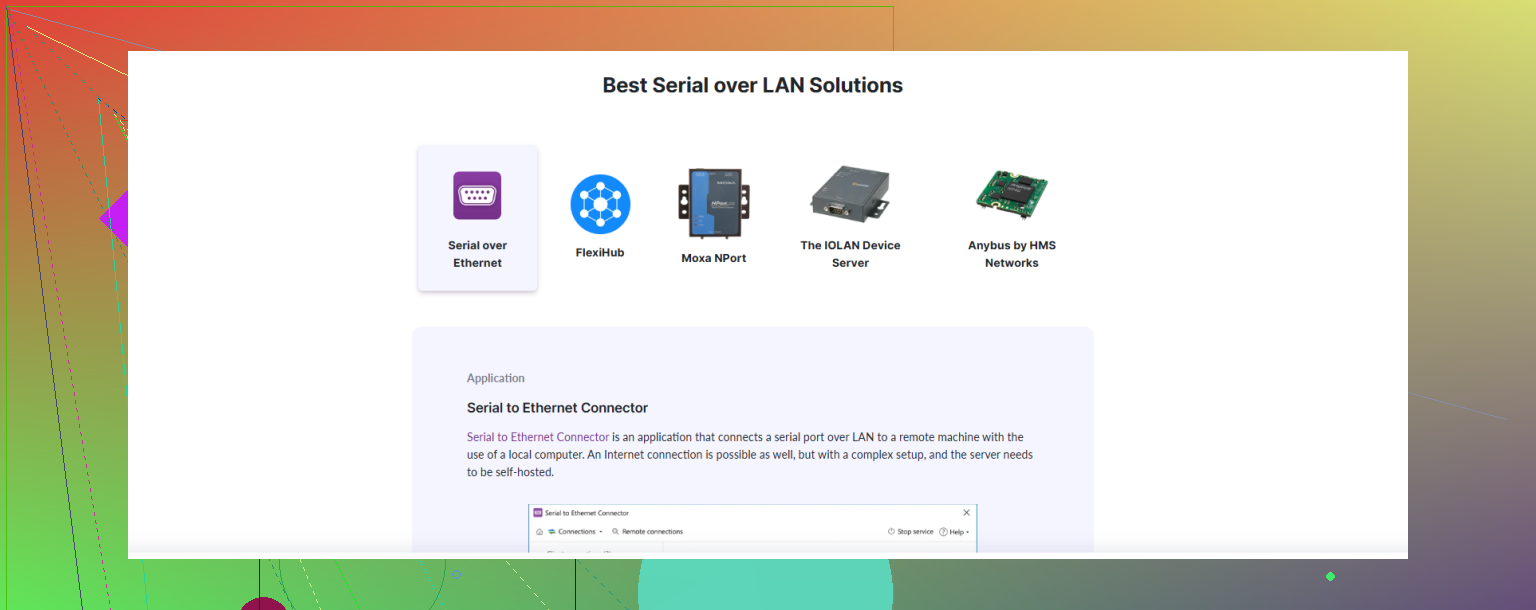
This is where Serial to Ethernet Connector is very relevant. It lets you:
- Share a COM port over Ethernet or LAN.
- Map a remote serial device to a local virtual COM port.
- Keep your old app happy because it still talks to “COM1,” while in reality it’s going across the network.
That’s particularly useful if:
- You have a single main PC that must run the vendor’s ancient config/monitoring tool.
- You don’t want to reverse‑engineer the protocol.
- You want flexibility: move the “server” closer to the machine and keep the operator PC elsewhere.
One common pattern:
- Small fanless PC / thin client near the device with USB‑RS232.
- Install Serial to Ethernet Connector on it and share the port.
- Operator PC somewhere in the office connects to that shared port as if it was local.
If this works reliably in your test, then you can decide if you want to replace the PC+USB dongle with a hardware terminal server later.
3. Protocol awareness vs “dumb tunnel”
Another key choice most ppl skip:
-
Dumb tunnel (raw serial over TCP):
- Fine if you control both sides (your script on one end, your device on the other).
- Not great if the software stack is opaque and sensitive to timing.
-
Protocol aware:
- Some terminal servers know Modbus, DNP3, etc. and can convert RS232/RTU to TCP natively.
- If your device speaks one of these, a smart industrial gateway might be far better than a generic serial‑to‑TCP bridge.
If your device is something proprietary where you only have a Windows tool, then a “dumb but stable” tunnel plus virtual COM (again, where Serial to Ethernet Connector shines) is usually the safest.
4. Physical layer stuff people forget
Before buying anything:
- Confirm it is really RS232, not RS485/422.
- Check if the device is DTE or DCE and whether you need a null‑modem cable.
- Note baud rate, parity, data bits, stop bits, any handshaking lines:
- RTS/CTS used?
- DTR/DSR needed for the device to wake up?
Some cheap RS232‑to‑Ethernet boxes ignore hardware handshaking, which can break some industrial gear. If your device manual talks a lot about RTS/CTS, don’t cheap out here.
5. If you want a simple decision tree
-
You just want one PC to run the vendor’s old COM‑port software over the network:
- Try a PC (or small box) near the machine + USB‑RS232 + Serial to Ethernet Connector.
- Map remote COM to local COM and see if the software even notices.
-
You want multiple modern systems / PLCs to integrate the device directly:
- Look at a proper industrial RS232 to Ethernet device server that exposes a TCP port and consider rewriting your client logic to use TCP sockets instead of COM.
-
You need long‑term reliability in a plant:
- Avoid the super‑cheap converters. Pick something rated for industrial use, DIN rail mount, with watchdogs and decent support.
If you want to dive deeper into the conceptual differences between hardware adapters, software bridging, latency, etc., that in‑depth serial networking overview that @mikeappsreviewer mentioned actually does cover most angles. I just wouldn’t treat it as a shopping list; treat it as a checklist and then line that up with your answers to the 5 questions at the top.
Also, for search clarity and future readers: you’re basically looking to “connect classic RS232 serial equipment to a modern Ethernet TCP/IP network for remote monitoring and control” rather than just the vague “rs232 to Ethernet” phrase. That will turn up more relevant industrial‑grade solutions and fewer random cheap adapters that may drive you nuts later.
Short answer: you don’t “just” need RS232 to Ethernet, you need to decide who’s talking to the device and how picky that software is.
@mikeappsreviewer and @cazadordeestrellas already nailed the hardware vs software angle, so I’ll try not to repeat that. I’d look at it like this:
1. Start with the software that talks to the device
This is the step ppl skip and then wonder why the shiny terminal server doesn’t help.
- If you have an ancient Windows tool that must talk to COM1 / COM2:
- A plain RS232‑to‑Ethernet box by itself will probably not be enough.
- You need the device to appear as a local COM port to that software, even if the real hardware is far away.
This is exactly where Serial to Ethernet Connector fits nicely:
- It lets you share a physical serial port over the network.
- On the remote PC, it maps that shared port to a virtual COM port.
- Your legacy software keeps living in 1998, thinking it’s talking to COM1, while it’s actually going over TCP/IP.
You can grab it here:
download Serial to Ethernet Connector for remote COM port access
In plain english: install it on the PC that’s physically connected to the RS232 device, then “mount” that port on the operator PC. No protocol reverse‑engineering, no rewriting anything.
2. When a hardware terminal server really makes sense
Where I slightly disagree with @cazadordeestrellas is about delaying hardware. In a lot of industrial setups, putting a dedicated RS232 to Ethernet device server next to the machine is actually the right first move, if:
- You’re writing your own code (Python, C#, SCADA driver) and can open a TCP socket like
192.168.x.x:port. - You don’t care about COM ports at all; you just want “IP and port” and you’re done.
- You want something that lives in a panel, DIN rail, 24 VDC, all that boring but important stuff.
Then the flow is:
Device RS232 ↔ Terminal server ↔ TCP/IP ↔ Your app (over a socket, not COM)
This is simpler and more robust long term than keeping some forgotten Windows box alive forever just so a USB‑RS232 dongle can run in a corner.
3. One thing almost nobody checks: serial control lines
Everyone obsessess over baud rate and forgets about handshaking:
- Check your device manual:
- If it mentions RTS/CTS, DTR/DSR or “hardware flow control,” you must pick gear that actually supports those pins.
- Many cheap RS232 to Ethernet widgets only really wire TX/RX/GND and pretend the rest.
If your device refuses to talk unless DTR is asserted or it needs RTS/CTS to throttle, the wrong hardware will make you think your whole network plan is broken when it’s just missing wires.
4. Concrete paths depending on your situation
Since you didn’t spell out what’s on the PC side, here are 3 realistic scenarios:
A) Old vendor Windows app, single operator PC
- Put a small PC (or even an old laptop / mini PC) near the device.
- Connect via USB‑to‑RS232 (or native COM if you have it).
- Install Serial to Ethernet Connector there and share the COM port.
- On the operator PC, install it too and map that remote COM as local.
- Point the vendor app to that COM and you’re done.
This avoids buying a terminal server at all, at least for testing.
B) Multiple modern systems / SCADA / scripts want access
- Use an industrial RS232 to Ethernet device server.
- Expose the serial line as a TCP port.
- Have each client speak the device protocol over TCP.
- If you still have one old Windows app that needs COM, you can combine:
- Device server on the machine side
- Virtual COM software like Serial to Ethernet Connector on the PC side to turn that TCP stream back into a COM port.
C) Plant‑floor reliability priority
- Don’t rely on a random office PC near the machine for years.
- Get:
- Industrial terminal server (wide temp, surge, watchdog).
- Good cabling, shielded if it’s a noisy env.
- For the app side, use either:
- Native TCP if possible, or
- A virtual COM driver that connects directly to the terminal server’s IP/port.
5. What “the app” actually gives you
Just calling it “the app” really undersells what it does in this context. Think of it instead as:
- A remote serial port virtualization tool that:
- Turns a distant RS232 port into a local COM interface.
- Works over LAN, WAN, or even the Internet if you open the right ports / VPN.
- Lets you keep legacy COM‑only software running from anywhere without touching its code.
In other words, it’s a compatibility bridge that lets modern Ethernet networks and old serial‑only tools coexist.
If you post the exact device model and what software or PLC is talking to it, you can probably get a very specific “buy this type of box / use this exact mode” answer. Right now you’re stuck at “RS232 to Ethernet” which covers everything from a $15 toy adapter to a $700 hardened gateway, and only like 1 out of 5 of those is actually what you need.