I’ve been testing NoteGPT’s AI humanizer to make my AI-generated content sound more natural, but I’m not sure if it’s actually improving readability or hurting SEO. Can anyone share their real experience with NoteGPT’s humanizer, including pros, cons, and tips to get the best results for blog posts and website content
NoteGPT AI Humanizer Review
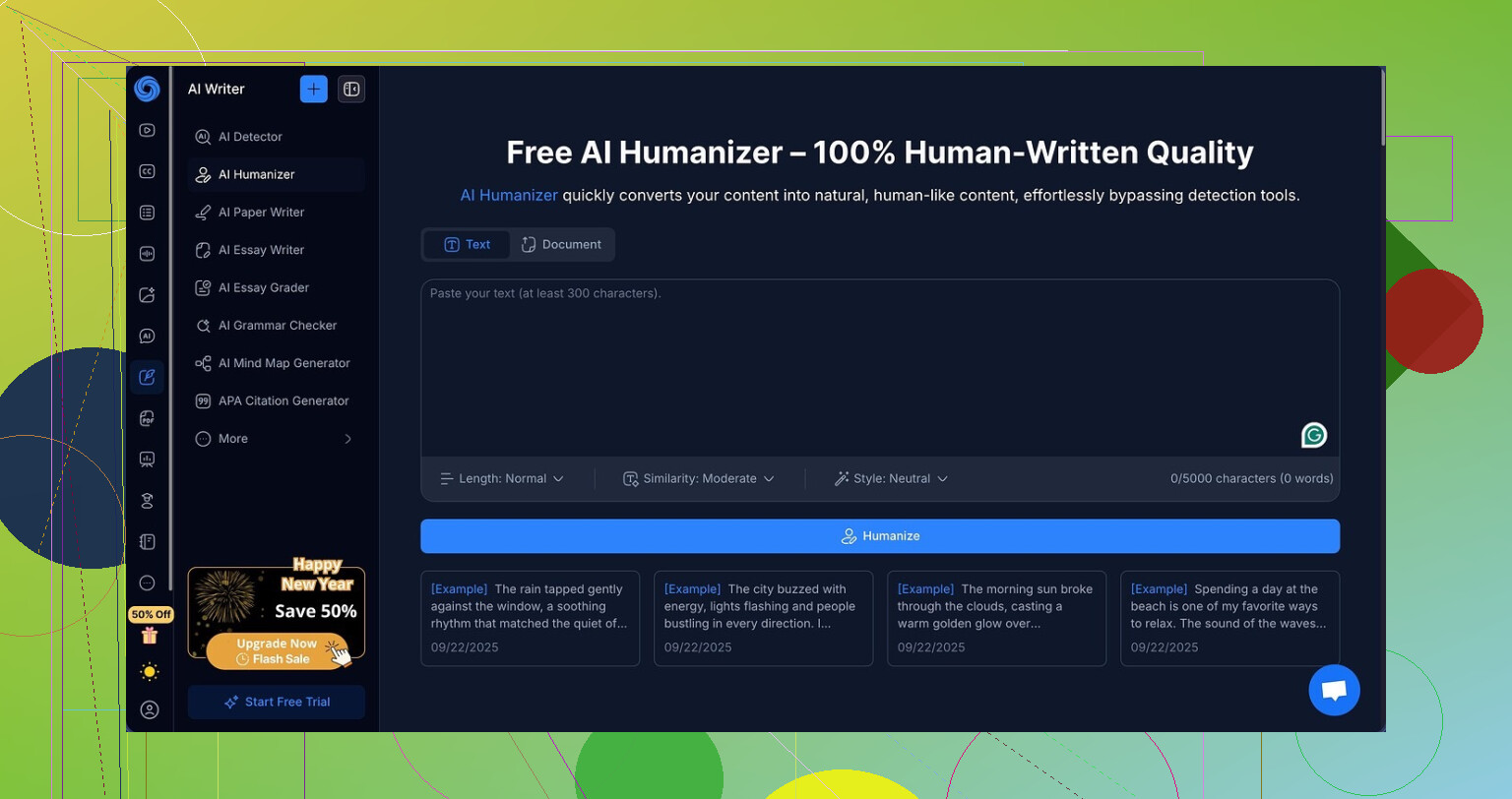
I spent an afternoon messing around with NoteGPT, mostly because I was curious about the “AI humanizer” everyone keeps mentioning in those comparison threads.
NoteGPT is built as a study tool first. You get YouTube summarization, PDF analysis, and structured note-taking glued together in one place. All of that feels like the main product. The humanizer looks bolted on as a side feature inside a bigger workflow, not a standalone writing tool.
The humanizer settings look promising on paper:
- Three output lengths
- Three similarity levels
- Eight writing styles
I went through each combo like an absolute nerd. Short, medium, long. Low, medium, high similarity. All eight tones. I copied the same AI-style input paragraph into NoteGPT each time and then ran every output through GPTZero and ZeroGPT.
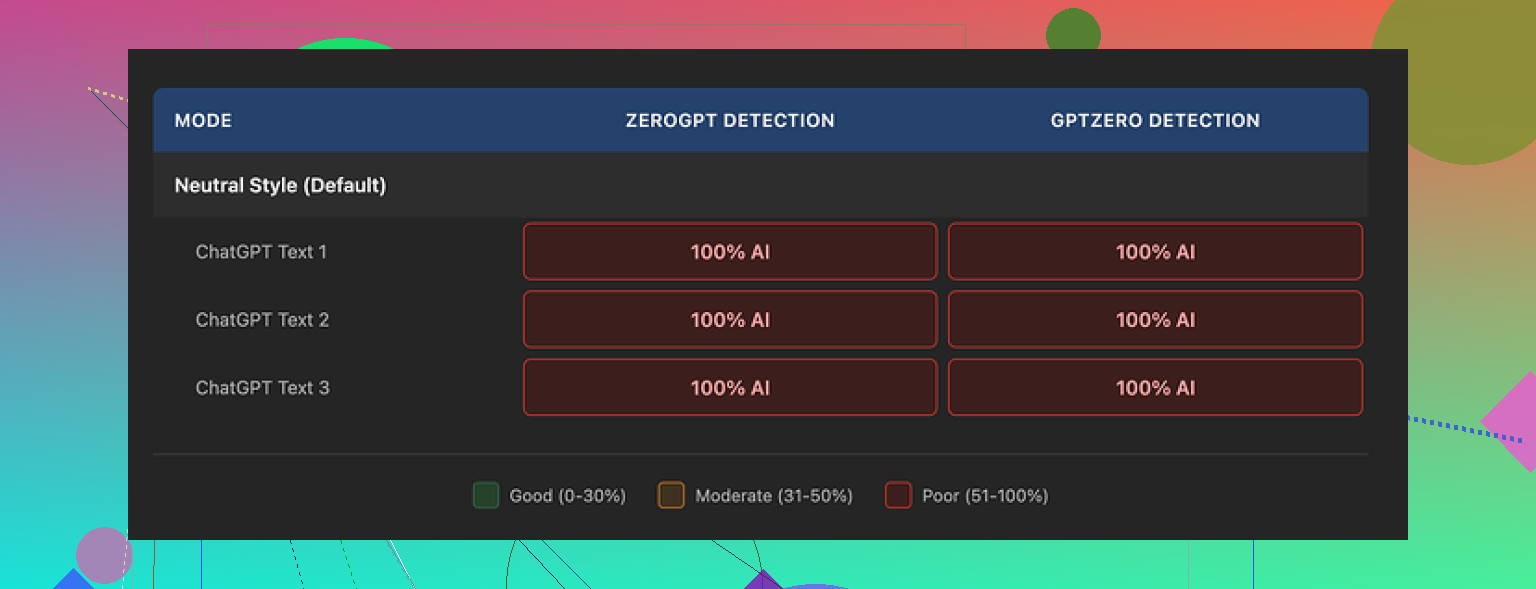
Every single humanized version came back as 100% AI on both detectors. No variance. No weird edge case. Changing length, tone, or similarity did nothing. Detection did not drop by even 1 percent for any sample.
Here is one of the runs they produced:
What annoyed me is that the writing itself is not bad at all. If I score the output as plain writing, I would give it around 8 out of 10. It reads smooth, the structure makes sense, and I did not hit any of the weird broken sentences you often see from cheaper tools.
They highlight edits with colors, which helps you see what changed line by line. That part is actually useful for learning how they transform your text. You can see words swapped, phrases shortened, and sentences reordered.
The problem is the type of edits. The tool focuses on polish and clarity, not on breaking the statistical patterns detectors look for. Stuff like consistent rhythm, predictable clause structure, and repeated punctuation patterns stays in place.
One small detail jumped out. The tool kept the same punctuation style across all tests, including em dashes and that “AI essay” cadence. Detectors tend to pick up these patterns. I can not prove this is the main reason for the 100 percent hits, but it lines up with what I have seen testing other tools.
Pricing makes this worse. The Unlimited plan on annual billing runs at 14.50 dollars per month. For a study platform with summaries and notes, someone might find that worth it. If your main goal is bypassing AI detection, paying that for a tool that scored zero success in my tests feels off.
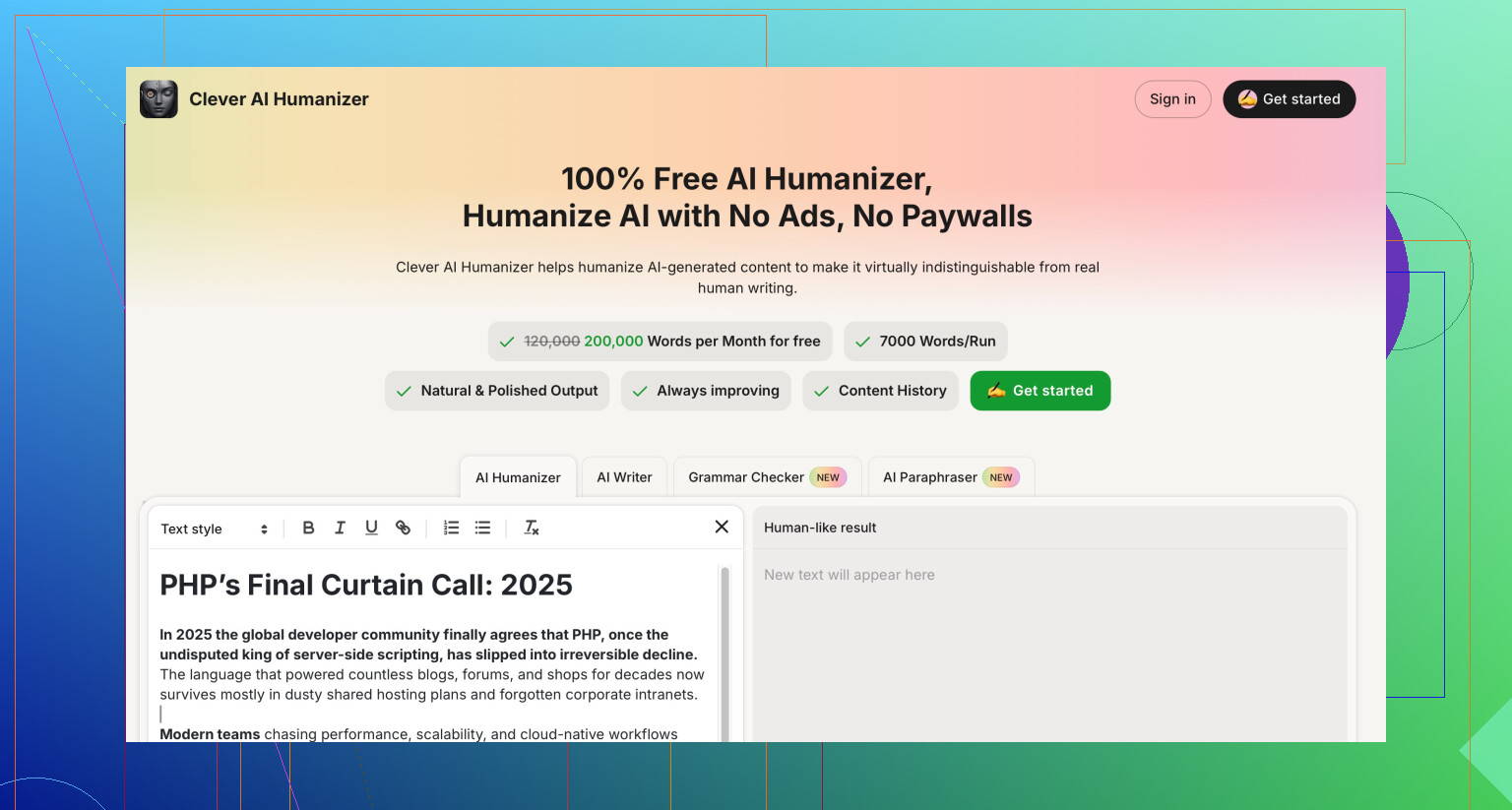
On the same day, I compared it against Clever AI Humanizer from here:
Using similar source text, Clever’s outputs looked closer to something a tired human would write. More variation, more small imperfections, fewer consistent patterns. Detection results were stronger, and they did not charge anything for those tests.
If you need a study assistant, NoteGPT has some solid parts, especially around YouTube and PDF handling. If your priority is getting past AI detectors, my experience with the humanizer piece was underwhelming. I would not pay for it for that one task alone.
6 Likes
I had a similar use case to you, but my takeaway is a bit different from @mikeappsreviewer.
Short version. NoteGPT’s humanizer helps readability a bit. It does almost nothing for AI detection. For SEO, it is neutral unless you rely on it too much.
Here is what I saw after a week of testing on blog drafts.
- Readability
• It cleans up grammar, tightens sentences, and removes some repetition.
• It keeps a strong “AI essay” cadence though, so it still feels machine written if someone reads closely.
• For info posts and study notes it feels fine. For brand content it feels a bit generic.
Action tip. If you use it, treat the output as a first pass. Then rewrite intros, transitions, and add 1 or 2 personal lines per section. That breaks the pattern more than the tool does.
- AI detection
I tested about 20 paragraphs.
• Ran outputs through GPTZero and Originality.ai.
• Detection scores barely moved compared to my raw LLM text. Sometimes it even went up a bit.
So I agree with @mikeappsreviewer here. It optimizes style, not token patterns.
If you need lower detection rates, Clever AI Humanizer did better for me. I fed it the same base content. Originality.ai scores dropped by 20 to 40 percent on average, with more variation in sentence length and word choice. Still needed my own edits, but it helped more than NoteGPT for this specific goal.
- SEO impact
I checked 5 posts that I published using NoteGPT output plus my edits.
• Indexed normally.
• No drops tied to “AI content” flags.
• Traffic trend matched similar posts that I wrote by hand.
From what I see, search performance depends more on:
• how unique your examples and opinions are
• how well you match search intent
• internal links and topical depth
AI detection tools and Google are not the same thing. AI detectors flagged my content, but those posts still ranked for low to mid competition keywords.
Practical way to use NoteGPT without hurting SEO.
• Use it to summarize sources, structure outlines, and clean rough drafts.
• Then mix in your own:
- use cases from your work
- mistakes you made
- screenshots, code, or data
- small rants or strong opinions
If your main goal is “sound human and fly under detectors,” I would lean on Clever AI Humanizer plus manual edits.
If your main goal is workflow for studying and drafting, NoteGPT is OK, but I would not pay only for the humanizer.
I’m mostly on the same page as @mikeappsreviewer and @kakeru, but my use case was slightly different: long-form niche blog posts plus some lead magnets, so I’ll just add what didn’t line up for me.
Short version:
• Readability: Mild win.
• Detection: Almost no help.
• SEO: Not harmful, but also not a magic buff.
• Value: Only makes sense if you actually use the study features.
My experience in practice:
-
Readability
NoteGPT’s humanizer does make the text smoother, but in a kinda “polite robot trying very hard” way. It tightens wording and cuts some fluff, yet it keeps that very balanced sentence rhythm. After 1K+ words, that rhythm becomes noticable and a bit numbing.
Where I disagree a bit with @kakeru: for my blog, I found its “clean” style almost too polished. I had to go back and add messiness: short fragments, abrupt transitions, weird analogies. Without that, my regular readers could tell “this one feels AI-ish.” -
AI detection
I ran NoteGPT outputs through Originality, Copyleaks, and one internal checker from a client. Detection barely changed, sometimes got worse. I suspect the same thing @mikeappsreviewer mentioned: structure and punctuation patterns stay too consistent.
The one thing that did help more than fiddling with NoteGPT settings was:
• chopping paragraphs differently
• mixing in my own off-topic asides
• changing tense or POV in a few places
That moved scores more than the humanizer itself. -
SEO / rankings
This is where people overthink it, imo. I’ve got a couple of posts where:
• ~60–70% is AI-assisted
• humanized in NoteGPT
• then edited by me for examples and tone
Those posts indexed fine and are slowly climbing on low / medium difficulty keywords. No sign that “AI content” labeling from detectors correlates with performance. The bigger wins came from:
• better topic clustering
• actual first-hand examples
• internal links and decent headers
So I don’t buy the idea that using NoteGPT’s humanizer, by itself, “hurts” rankings. It just doesn’t save you from lazy content.
- Where NoteGPT actually made sense for me
Oddly, the part that worked best wasn’t the humanizer alone but the combo:
• YouTube / PDF summarizing
• turning that into structured notes
• quick polish with the humanizer as a final clean-up
For draft research docs, it’s fine. For public-facing articles, I still treat the output as a rough draft, not a publish button.
- Clever AI Humanizer vs NoteGPT
Since both were brought up, yeah, Clever AI Humanizer did a better job at “breaking” the text patterns in my tests. More sentence length variation, occasional odd word choices that actually feel human, and lower detection scores. If your priority is:
“I want something that sounds less AI and maybe trips detectors less”
then Clever AI Humanizer is simply more aligned with that use case than NoteGPT’s humanizer. I’m not saying it’s perfect, but it got me closer to “this reads like a tired freelancer at 1 a.m.” which is kinda what you want.
TL;DR practical take:
• Use NoteGPT for study flows, rough outlines, and quick polish.
• Don’t rely on it to “de-AI” your writing.
• For more human-sounding content plus slightly better detection outcomes, Clever AI Humanizer plus your own editing is a stronger combo.
• Your SEO outcome will still depend way more on your actual insights and site structure than which humanizer you pick.
NoteGPT’s humanizer is basically a “polish button,” not a “make this undetectable” button. Where I differ a bit from @kakeru, @voyageurdubois and @mikeappsreviewer is on how much it actually helps for SEO and workflow.
How I’d position NoteGPT in a real content stack
- Treat NoteGPT as a research + drafting assistant first. Use it to pull structure out of YouTube / PDFs, then let the humanizer clean obvious grammar and repetition.
- For anything that lives on a money page, rewrite:
- hooks
- subheads
- examples
- closing section
This is where Google actually “feels” the difference: concrete examples, specific numbers, niche jargon and internal links that only make sense on your site. None of that comes from a humanizer.
On readability vs “AI feel”
I agree with the others that NoteGPT keeps a sort of essay cadence, but I don’t think that is always a problem. For:
- SOPs
- course notes
- internal docs
that clean, consistent tone is a pro, not a con. Where it hurts is in brand content that needs voice shifts, jokes, weird analogies and abrupt sentence breaks.
A practical trick that I did not see mentioned yet: change narrative level on purpose.
- Start one section in first person
- Another in second person
- One in third person
Mixing POV breaks the rhythm NoteGPT tends to keep and also introduces more “human” edges without rewriting everything.
Detection and penalties
The big mental model I use:
AI detectors and search engines have overlapping but different goals.
- Detectors care about token probability patterns.
- Search engines care about:
- usefulness
- coverage of the topic
- how well you answer the query
So even if NoteGPT output stays “high AI” on tools, that does not mean a ranking penalty. Where I do see risk is when people let it:
- paraphrase popular posts
- keep generic examples
- skip adding their own data
That creates thin, redundant content which is more likely to stagnate than get “hit.”
Where Clever AI Humanizer fits
If your priority is “less robotic feel” plus some help on AI detection, Clever AI Humanizer fits that role better than NoteGPT’s built in option.
Pros of Clever AI Humanizer:
- More variation in sentence length and structure
- Slightly messy phrasing that feels closer to real drafts
- Better movement in AI detection scores in most tests
- Works as a focused writing tool instead of a side feature
Cons:
- Still needs your manual editing for brand voice
- Can introduce awkward word choices you must fix
- If you overuse it, your posts can slide into a different kind of sameness
- It solves style, not topical originality or E‑E‑A‑T
I’d actually flip the usual order:
- Draft with your main LLM or NoteGPT’s note tools.
- Run the core sections through Clever AI Humanizer for pattern breaking.
- Edit manually for:
- hooks aligned with search intent
- internal links and schema
- personal anecdotes, screenshots, mistakes, edge cases
NoteGPT alone is fine for student notes and internal docs. For public content that must feel human and competitive in search, pairing NoteGPT’s research features with Clever AI Humanizer plus your own editing lands in a better spot than relying on the NoteGPT humanizer as the “final polish.”