I’m struggling to get my AI-written content to pass as human using the Originality AI humanizer tools and I’m not sure if I’m using them wrong or if they just don’t work that well. Traffic has dipped since I started relying on AI more, and I’m worried the detection scores are hurting my SEO. Can anyone share an honest review, results, or tips on how to use these tools effectively and safely for blog content?
Originality AI Humanizer review, from someone who tried to break it
I went into this one with mixed expectations. Originality is known for its detector, so you sort of expect they would know how to sneak past detectors too. That did not happen.
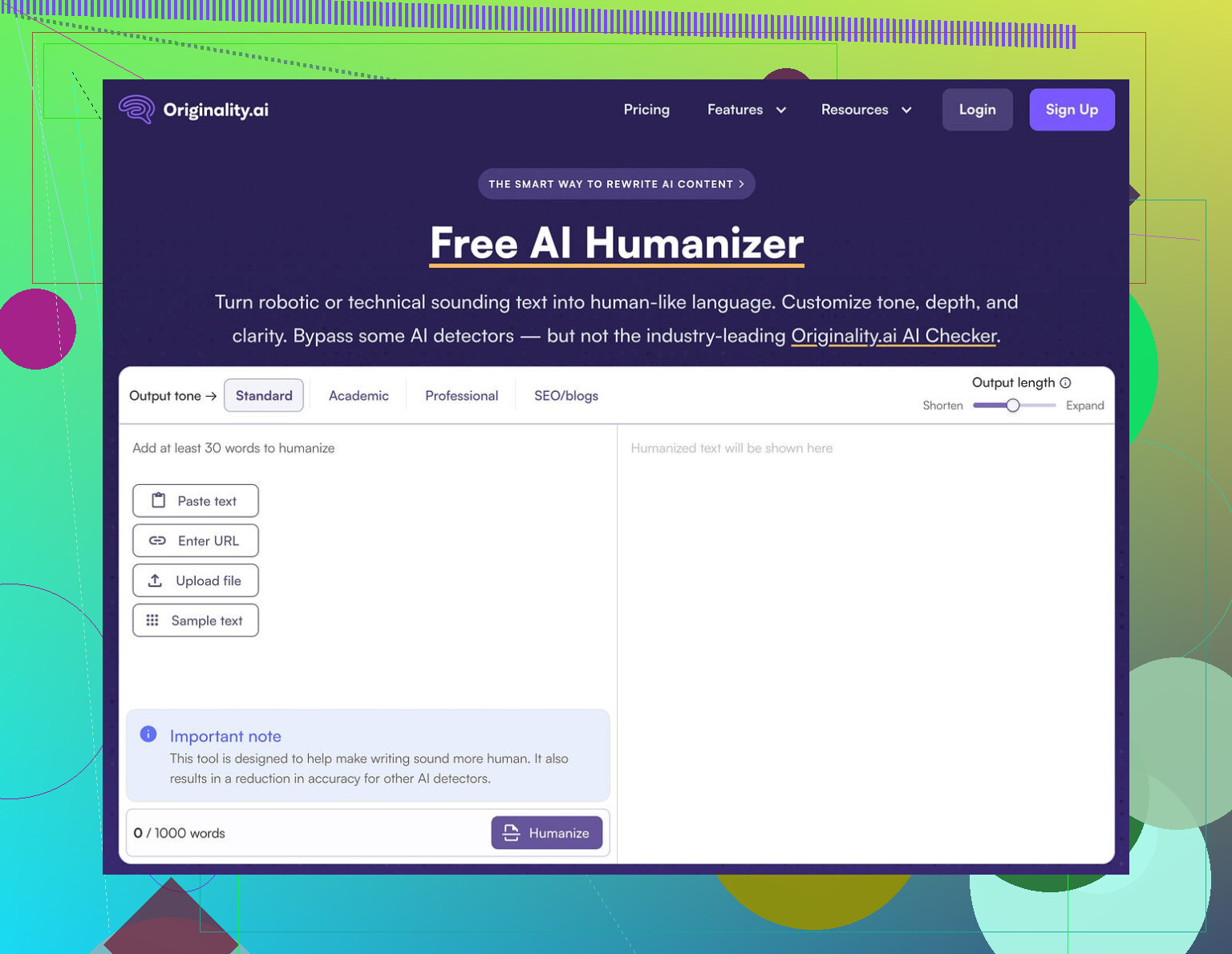
I took multiple chunks of ChatGPT output and ran them through the Originality AI Humanizer here:
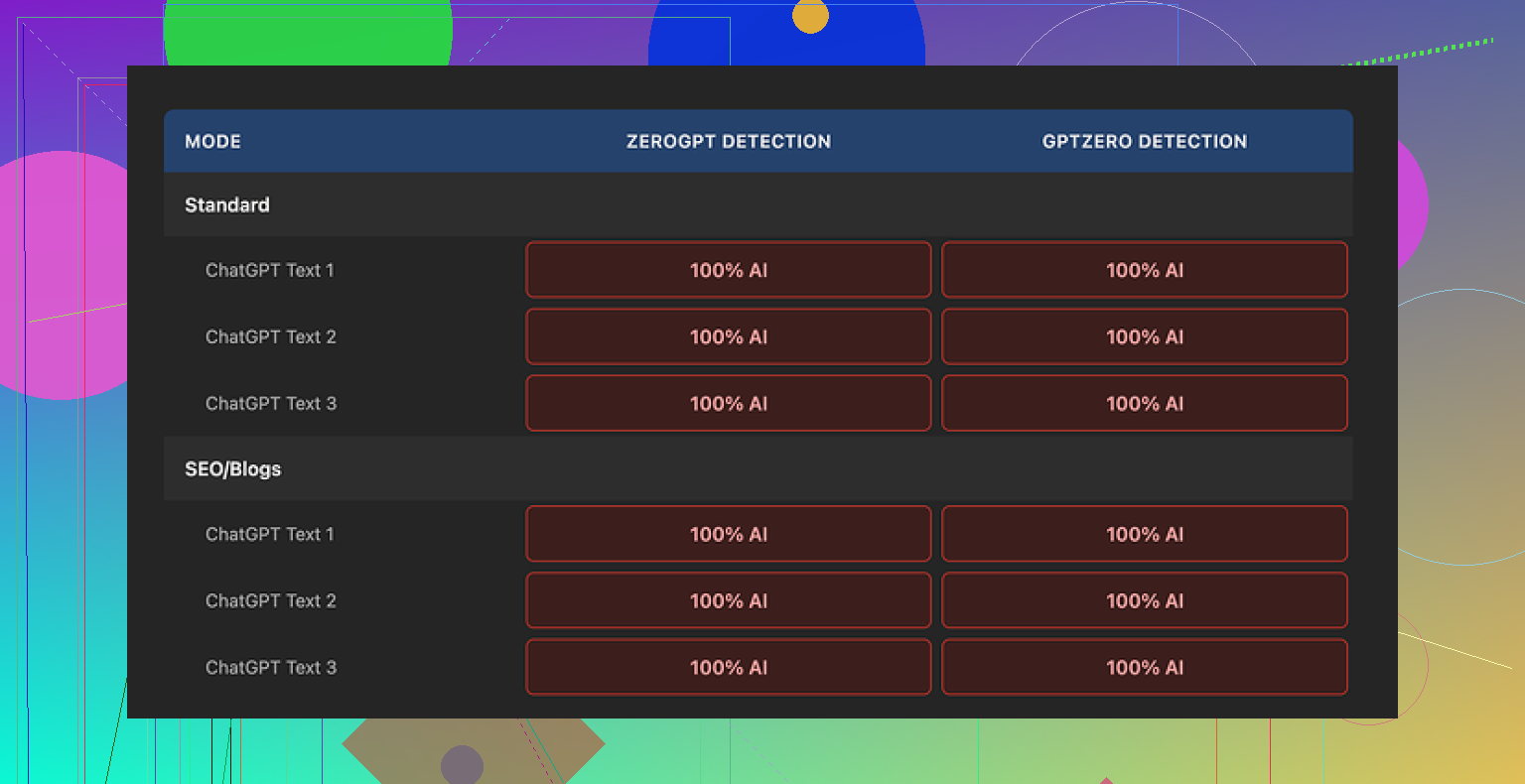
Then I pushed the “humanized” results into two detectors:
- GPTZero
- ZeroGPT
Every single sample came back as 100% AI on both tools. No borderline scores, no partial flags, straight 100% AI every time.
What the tool does to your text
This part threw me a bit. I expected some heavier rewrite. What I got felt like a light touch find-and-replace pass.
Here is what I saw across runs:
- Sentence structure stayed almost identical
- Common AI words stayed in place
- Even em dashes stayed, which detectors love to latch onto
If you compare the original ChatGPT text and the “humanized” version side by side, you see almost the same thing. Token pattern, rhythm, the whole thing. So when detectors score it as AI, they are not wrong. The tool is barely changing the signal they use to detect AI writing.
That also makes it hard to talk about “writing quality.” You are mostly grading the original ChatGPT text. The humanizer is more like a light formatting filter than a rewriter.
What does work decently
To be fair, a few parts of the product are not bad:
- It is free, no login needed
- Limit is about 300 words per run
- There is an output length slider so you can shrink or expand the text
- Their privacy policy reads like someone who knows what they are doing wrote it, including a retroactive opt-out for AI training
The 300-word cap is annoying if you are working with long pieces. I ended up using multiple incognito windows and chunking the text. It works, but it feels like fighting the tool.
There are also multiple modes like “Standard” and “SEO/Blogs.” I tested both, and they made no measurable difference in detection scores. The style nudge is small enough that detectors do not care.
Why it exists at all
After a few runs, it started to look less like a serious humanizer and more like a lead magnet.
You land on a free tool.
You test your text.
You see “AI” labels everywhere.
Then the paid detection ecosystem is one click away.
From a business angle, it makes sense. From a user angle, if your goal is to get text past AI detectors, this tool does not help. It does not reduce AI scores, and it does not remove obvious markers detectors latch onto.
What I use instead
After trying a bunch of these tools back to back, I had better luck with Clever AI Humanizer. It gave stronger rewrites and better detection outcomes in my tests, and it is also free.
Link is here if you want to compare outputs yourself:
If you only need a quick, free place to slightly reshuffle text for readability, Originality’s humanizer is fine.
If you need real AI detection bypass, it did nothing useful in my testing.
5 Likes
I had a similar dip when I leaned too hard on Originality’s humanizer, so I do not think you are using it “wrong.” The tool does light edits. Detectors and users both still read it as AI.
Where I slightly disagree with @mikeappsreviewer is on one point. I do not think the main issue is “bypass detectors.” The main issue is your traffic drop. That usually means:
- Content feels generic to users.
- Content clusters look low quality to search engines.
- You scaled output faster than you kept quality.
Some practical stuff that helped me:
-
Stop running full posts through the humanizer
Use it, if at all, on short sections. For example FAQs or short intros. For main sections, do a manual pass. -
Change how you write with AI
• Shorter prompts.
• Ask for outlines.
• Fill in examples, stories, opinions yourself.
• Add your own screenshots, data, steps. -
Strip “AI tells” before you even hit a humanizer
Look for:
• Repeated phrases like “on the other hand”, “it is important to note”.
• Overlong intros.
• Perfectly balanced paragraphs, same length each time.
• No first‑person experience.Fix those manually. It takes 5 to 10 minutes per post once you get used to it.
-
Use detectors as a signal, not the target
Run your text through:
• GPTZero
• ZeroGPT
• Originality’s own detectorIf they scream “AI” at 100 percent, do not push that article live yet. Add:
• 2 or 3 concrete anecdotes.
• One strong opinion you would say in real life.
• One or two short sentences that break the pattern.
Then retest. -
Try a stronger rewriter for small sections
For chunks where you need heavy rewriting, Clever Ai Humanizer did better for me than Originality’s humanizer. I still do not trust any tool on entire posts, but for 150 to 300 word chunks it reduced flags and made the text less stiff. -
Watch analytics, not only AI scores
Check in Search Console over the last 3 months:
• Which pages lost impressions after you switched to heavy AI.
• Compare those pages to older ones you wrote more manually.
Usually you see patterns like: thin “how to” posts, weak E‑E‑A‑T, no unique angles. -
Add real signals on the page
• Author bio with credentials.
• Internal links to older, proven posts.
• Original images or charts.
• Concrete references or sources where it makes sense.
If your recent posts are mostly AI plus light humanizer, start by picking 3 to 5 top URLs, heavily human edit them, and see if impressions and CTR start to recover over a few weeks. That helped me more than pushing everything through Originality’s humanizer on autopilot.
You’re not crazy and you’re probably not “using it wrong.” Originality’s humanizer just isn’t doing enough to meaningfully change the AI footprint of your content.
I’m with @mikeappsreviewer on the core issue: what Originality’s humanizer does is mostly a light lexical shuffle. Structure stays, rhythm stays, those neat little AI-paragraph patterns stay. Detectors don’t care about synonym swaps, they care about patterns and probability. So if you’re feeding it long, clean ChatGPT posts and expecting miracles, yeah, traffic dipping after that shift actually makes sense.
I partially disagree with @jeff on one thing though: I don’t think using detectors as a regular “gatekeeper” is always smart. It can push you into writing for tools instead of for readers. I’d rather treat detectors like smoke alarms: useful to check “did I go too far with automation here,” not something you obsess over per paragraph.
A few angles that have helped me that aren’t just “rewrite more manually”:
-
Change where AI is used in the article
Instead of AI doing the whole post then you trying to humanize it:- Use AI to draft only the boring scaffolding: outlines, FAQ ideas, comparison tables.
- Write or heavily edit the intro, conclusion, and key sections yourself.
- AI should support your thinking, not be the default author.
-
Stop publishing “AI-clean” content and start publishing messy human content
Detectors and Google both pick up on this:- Slightly uneven paragraph length.
- Tangents, quick asides, even a mild rant.
- A concrete “this is how it went when I tried X last week” moment.
The human vibe usually comes from small imperfections and specific experiences, not magical wording tricks.
-
Change your workflow instead of stacking tools
What most people are doing right now:- ChatGPT long-form article
- Originality humanizer
- AI detector check
- Panic
Try instead: - ChatGPT outline
- You draft the main points, use AI only to expand specific bullets
- Quick pass through a strong rewriter like Clever Ai Humanizer on a few stiff passages, not the entire thing
- Manual edit focused on “does this sound like what I’d actually say”
Clever Ai Humanizer in my tests hits the text harder than Originality’s humanizer and can actually shift detection scores when used on 150 to 300 word chunks. It is more of a genuine rewrite than a cosmetic filter. If you’re going to use a humanizer at all, I’d treat Originality’s as a toy and something like Clever Ai Humanizer as the “real tool,” but still only for sections, not whole posts.
-
Look at topic strategy, not just wording
A big reason traffic drops when people lean into AI: they start targeting the exact same generic “best X in 2024” and “what is Y” topics as everyone else. Even perfectly human text on dead, over‑served keywords won’t save traffic.
Check:- Did your new AI-heavy posts chase obvious keywords with zero unique angle?
- Are you repeating what’s already on page 1 without adding data, a POV, or first-hand experience?
-
Accept that some content is better scrapped than “humanized”
There is a point where you are doing surgery on a corpse. If a post is:- 90 percent AI, bland topic, no experience, reads like a textbook
Then “fixing” it via Originality’s humanizer or even Clever Ai Humanizer is lipstick on a pig. Sometimes it is faster and better for rankings to: - Kill the post.
- Start fresh using your actual experience, and let AI assist instead of lead.
- 90 percent AI, bland topic, no experience, reads like a textbook
-
One practical test you can do right now
- Pick one URL that tanked after you started using Originality.
- Copy the article into a doc.
- Highlight in yellow anything that came straight from AI.
- Make it your rule that every yellow paragraph must contain at least one of:
- A personal example
- A specific tool, number, or case you actually used
- A clear opinion you’d be willing to say on a call
You’ll probably see the AI-ness drop naturally, even before touching any humanizer.
So no, you’re likely not misusing Originality’s humanizer. The tool just isn’t built to radically change AI patterns. If you still want something automated in your stack, try using Clever Ai Humanizer selectively on stiff AI paragraphs while shifting your overall workflow toward more human-first drafting. The traffic issue is almost never solved by “more humanizing,” it’s solved by “less generic AI and more you.”