My universal remote suddenly stopped controlling my TV after working fine for months. I tried new batteries, re-entering the TV code, and even doing a factory reset on the remote, but it still won’t connect or respond. Did I miss a setup step, or is there a compatibility issue I should check? Looking for troubleshooting tips or any codes/settings that might fix this pairing problem.
Universal remote refuses to talk to your TV? Here is what usually fixes it, based on my own screwups with these things over the years.
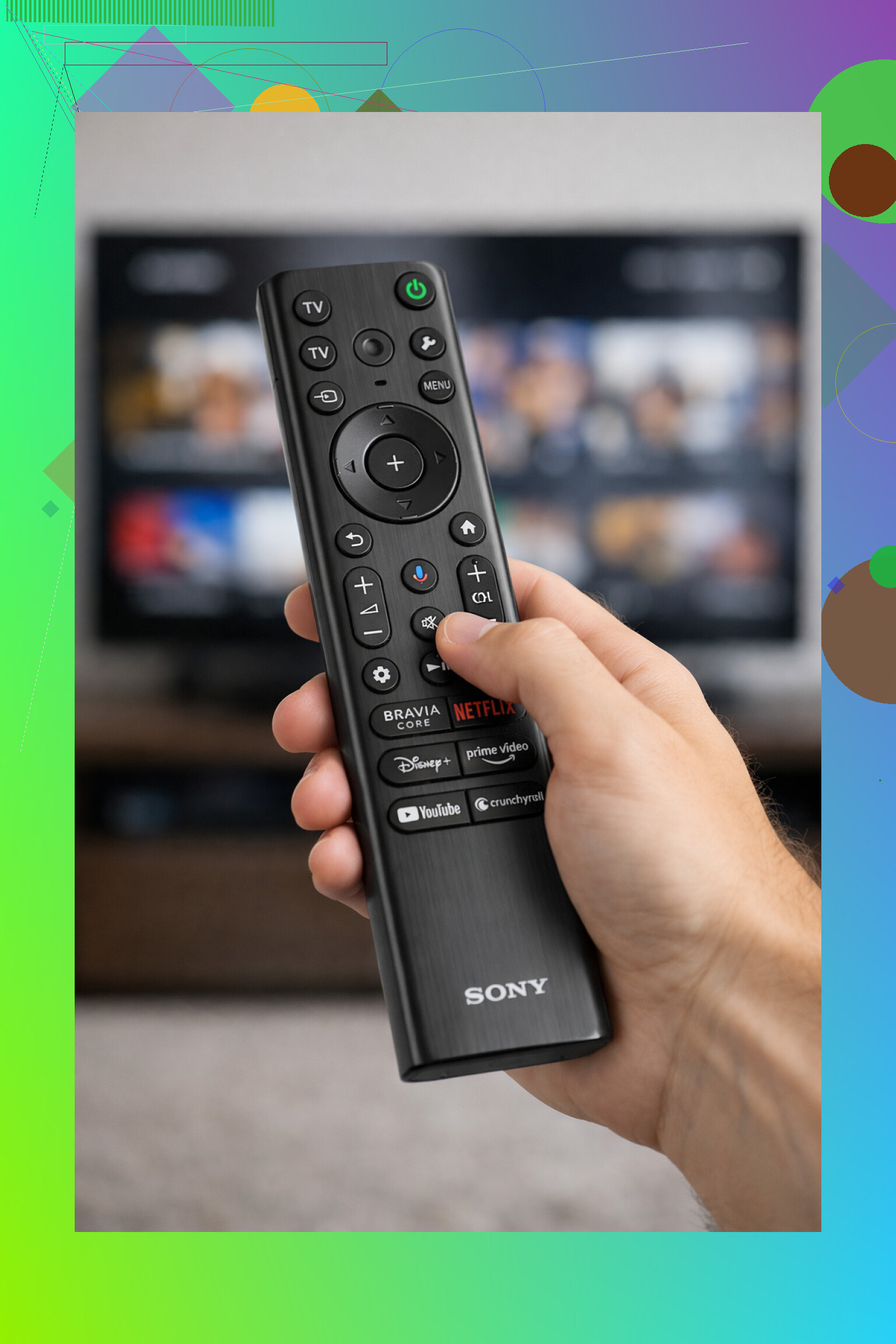
I am going to start with the boring stuff, because that is what has bitten me the most.
- Batteries that lie to you
Everyone checks “are the batteries dead,” but what I ran into more than once was “they sort of work, but not enough.”
What I saw:
- The LED on the remote still blinked.
- Sometimes volume worked, but power did nothing.
- I had to point the remote like a sniper at the exact center of the TV for it to respond.
What helped:
- I swapped both batteries for fresh ones from a new pack.
- I checked polarity, because one flipped battery turned the whole thing into a brick.
- I stopped mixing a leftover battery with a new one. When I did that, range dropped and the behavior got random.
If you are not sure, grab two new batteries, put them in, then stand a bit farther from the TV, aim, and try power and volume. If the remote suddenly behaves, that was it.
- Wrong TV code or setup wiped
Every universal remote I tried needed the right code for each TV brand. When the code is wrong, the remote looks alive but does nothing useful.
Stuff that broke it for me:
- I entered a code for “Samsung” but my TV was a “Samsung sub-brand” model and wanted a different one from the list.
- A power outage or battery pull reset the remote and I forgot I had to reprogram it.
- The remote had 4 or 5 codes for the same brand, and the first one only half-worked. Power worked, input did not.
What I did:
- I pulled the manual or searched the exact model of the remote online with “code list”.
- I reprogrammed the TV section from scratch, step by step, no skipping.
- I tried every code listed for my brand, and tested:
- Power
- Volume
- Input/source
If one code only did some functions, I moved to the next code in the list until all three worked.
- Line of sight and sensor issues
Most of these remotes talk with infrared. That is light your eyes do not see, but it still behaves like light.
I ran into this more often once I started putting soundbars, consoles, and random stuff in front of my TV.
Things that broke the signal on me:
- TV sat behind glass doors in a cabinet.
- A soundbar blocked the lower center part of the TV, exactly where the sensor sat.
- Dust on the front panel of an old TV, where the IR receiver lived.
What I check now:
- I point the remote directly at the brand logo or bottom center of the TV. Most sensors live somewhere around there.
- I move off to the side and try again. If it only works from one angle, something is blocking.
- I wipe the lower front bezel gently with a soft cloth.
Temporary test:
- Stand 3 to 6 feet from the TV.
- Aim straight at the lower center.
- Try power and volume.
If it only responds from super close or not at all, either the signal is weak (batteries or remote) or blocked.
- Remote and TV do not speak the same “language”
This one confused me the first time I got a newer Smart TV.
Some TVs use IR only. Some rely on Bluetooth or Wi‑Fi for the remote. Some use a mix.
What I saw:
- A cheap universal IR remote worked fine on an old basic TV.
- Same remote did nothing on a new Smart TV in the living room, no matter what codes I tried.
- The original remote for the newer TV had a pairing process in the menus, so it was not a plain IR remote.
What I do now before wasting time:
- I search my TV model and add “remote type” or “Bluetooth remote” in a browser.
- If the original remote talks over Bluetooth or pairs through the TV menu, a basic IR-only universal remote will not fully control it.
- Some universal remotes support both IR and Bluetooth, but those are usually labeled and cost more.
If your universal remote is old and generic, and your TV is a fairly recent Smart TV, there is a chance they are mismatched tech.
- Remote hardware is dying
I had one remote that survived a drop into a drink, and it never acted right afterward. Another one simply aged out, some buttons died first.
Signs I saw:
- Some buttons worked, others never did, no matter the code.
- I had to press hard on certain keys or bend the remote a little to make it respond.
- After a fall, the board inside got loose so pressing in one spot triggered other buttons.
Things I tried before giving up:
- Removed the batteries, left the remote empty for about 5 to 10 minutes, then put them back.
- Tested the remote on another TV of the same brand, if I had access to one.
- Pressed every button slowly. If multiple keys behaved dead while others worked, that looked like hardware, not programming.
There is also a quick IR test:
- Open the camera app on your phone.
- Point the remote at the camera.
- Press a button.
On most phones, you see a flicker from the remote LED on screen. If nothing ever lights up even with new batteries, the remote is gone.
If several of these checks fail, it is usually cheaper and faster to replace the remote than keep poking at it.
- Phone as a remote, when I gave up on plastic remotes
At some point I stopped fighting with universal remotes for my Smart TVs and tried a phone app instead.
A simple example is here:
This one turns your iPhone into a remote over Wi‑Fi. I used something similar on my setup, same idea.
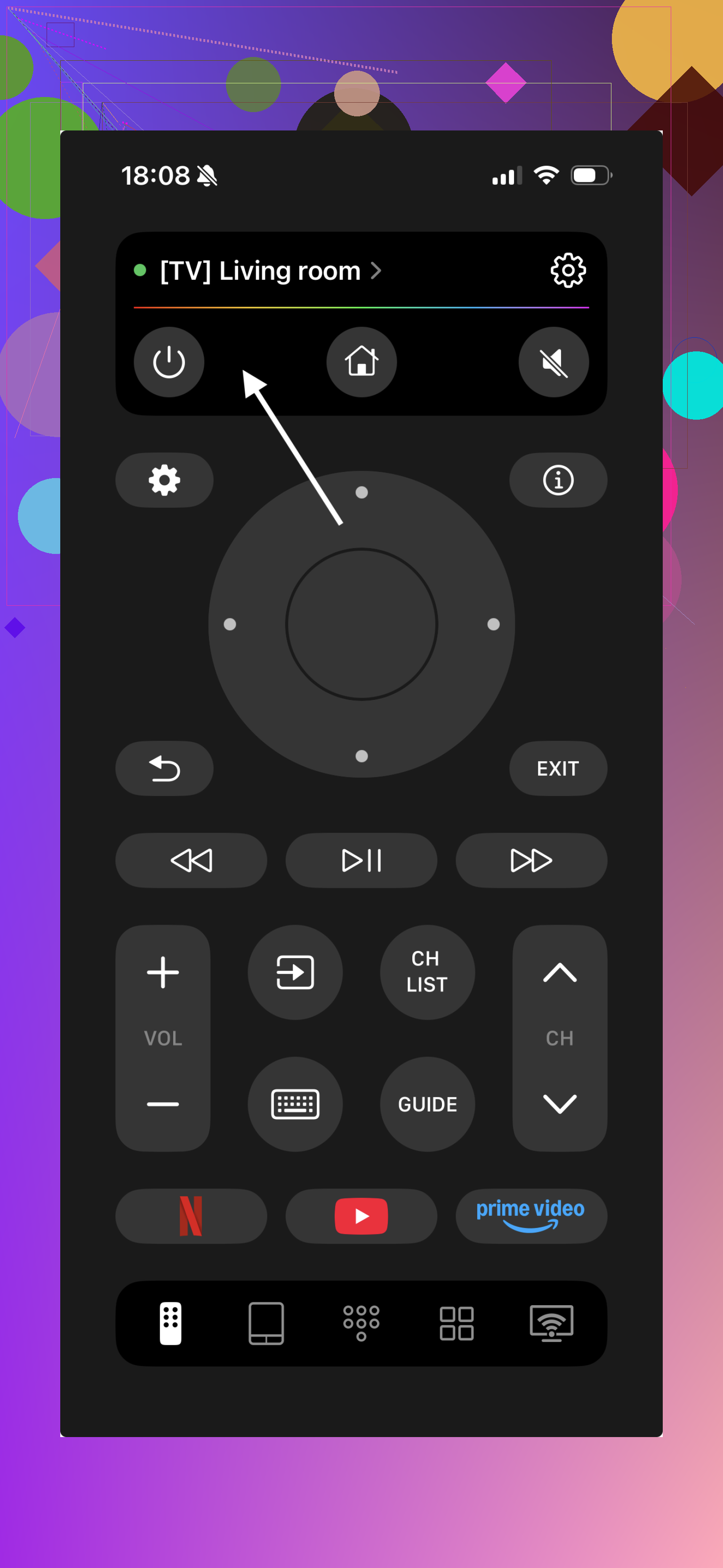
What worked better for me with a phone app:
- No entering 3‑ or 4‑digit codes.
- No line of sight problems. The phone talks through the home network, not an IR beam.
- My Smart TV showed up in a list as long as both were on the same Wi‑Fi.
- Setup took under a minute. Open app, let it scan, confirm on TV screen.
Video demo here:

Important detail: the phone and TV need to be on the same Wi‑Fi network. If your TV is wired by Ethernet, it usually still shares the same network, so it works. If the TV uses a guest network or something weird, discovery might fail.
I still keep a physical remote around, but for daily stuff like volume, source, and apps, the phone ended up faster.
- Quick checklist you can run through
If your universal remote is not connecting, I usually go through this order:
- Swap in two new batteries from the same pack.
- Check the battery direction twice.
- Stand 3 to 6 feet in front of the TV, aim at the lower middle, test power and volume.
- Clean the lower bezel where the IR sensor sits.
- Reprogram the remote using the manual or online code list, try all codes for your TV brand.
- Confirm if your TV uses Bluetooth or Wi‑Fi based remote features. If yes, basic IR remote support might be limited.
- Use the phone camera trick to see if the remote LED lights up.
- If nothing works, accept that the remote is probably defective.
If all this feels like too much fiddling, a phone app remote such as TVRem is an option:
For Smart TVs on Wi‑Fi, the app method felt more consistent for me than cheap universal remotes. I stopped re-entering codes every time someone pulled the batteries or dropped the thing.
Last bit from my own use:
Sometimes the fastest “fix” is not convincing an old remote to cooperate, it is letting your phone handle the job and leaving the plastic remote in a drawer as backup.
16 Likes
Two extra angles to check that @mikeappsreviewer did not dig into much:
-
Your TV’s own settings got changed
Some newer TVs let you disable the IR receiver or change how they accept commands. A firmware update or a weird menu tap can break the universal remote without touching the remote at all.Try this:
• Use the original TV remote or TV buttons on the bezel.
• Go into Settings. Look for:- “External devices” or “Input devices”
- “CEC”, “Anynet+”, “SimpLink”, “Bravia Sync” etc
- “Remote control”, “IR receiver”, “Control by phone”
• Turn CEC off, then test. Then turn it on, test again.
• If you see any “Disable front buttons / IR” feature, turn it off.
Also run a “Reset to factory defaults” on the TV itself, not only on the remote. I have seen Smart TV updates glitch input handling until a TV reset.
-
Your TV uses RF / Bluetooth for some functions
You tried re‑entering codes, so IR mapping is covered. The hidden problem on a lot of sets is this:
• Power and volume over IR
• Menus and apps over Bluetooth or RFSo you test power only, it works, think all is fine, then later after some update the TV expects the “pairing” type remote first. Your universal IR remote then stops waking it.
Try this:
• Turn the TV on manually with its side button.
• Once it is on, try volume or input with your universal remote.
• If it responds when already on, but never wakes from standby, the TV changed power behavior. Look in power settings for “Quick start”, “Eco mode”, “Network standby” and turn those off. Some models stop listening to IR in deep standby. -
Check for IR interference in your room
This one sounds odd, but I have hit it twice.Things that broke IR reception in my room:
• LED strip lights near the TV, especially cheap ones with their own tiny remotes
• Old CFL bulbs or some cheap LED bulbs flickering in IR range
• A USB IR blaster from a PCQuick test:
• Turn off every extra light around the TV.
• Unplug any HDMI gadgets that use their own IR blasters or weird hubs.
• Try the universal remote again.If it starts working, something in the room is flooding the sensor with noise.
-
Check if your TV’s IR receiver died
You tested batteries and codes, and the remote reset, so the next suspect is the TV itself.Do this:
• Test your universal remote on a different TV of the same brand, if possible. You can use any compatible code.
• Or borrow a basic programmable remote from someone and see if that controls your TV.If two different remotes both fail on your TV, but each works on other TVs, the IR receiver board in your TV is likely bad. On many sets the receiver is on a small daughter board near the bottom bezel.
A repair shop can replace that, or you can search for “[TV model] IR sensor board” and see if it is a cheap plug‑in part. -
Timing and pairing quirks on some universal remotes
Some universal remotes are picky about the speed of button presses during setup or “learning” mode. If they miss a step, they “program” an empty or partial code.Try a slightly different flow:
• Remove batteries from the remote for 10 minutes.
• Put them in again.
• Program the TV code once, slowly, watching each blink pattern.
• After programming, hold Power for 2 to 3 seconds, not a quick tap. Some brands expect a long power signal. -
If the remote is a “learning” type
If your remote learns commands from the original TV remote, and it suddenly quit after months, the stored signal can get corrupted. A spike, battery swap, or ESD can trash the learned codes without erasing the rest.Fix pattern I use:
• Clear all learned keys for the TV device only.
• Re‑learn Power, Volume Up, Volume Down, Mute, Input.
• Test each immediately.
• If learning fails or the learned keys behave random, the IR learning sensor in the universal remote is failing. -
When to stop fighting it
Given what you already tried, here is a simple decision tree.• If your universal remote output shows up through a phone camera and works on another TV, the TV is at fault.
• If your universal remote output is visible but never works on any TV after fresh programming, the remote’s IR pattern generator is damaged.
• If your TV still responds perfectly to its original remote from across the room, but never to the universal one that used to work, suspect:- TV firmware update changed IR codes.
- Or the universal remote lost the exact variant for your model.
At that point, replacing the universal remote with a newer model that lists your exact TV series is usually faster than hunting an odd firmware or hardware problem.
Sounds like you already did the “usual suspects,” and @mikeappsreviewer and @techchizkid covered a ton of it, but there are a few angles left that can explain why it suddenly quit after months:
-
TV firmware quietly changed the IR codes
This happens more than people think. A TV update can tweak or break compatibility with certain universal remotes, even if the brand is “supported.”- Check if your TV recently updated (About / Support / Software Update in the TV menu).
- If you can, turn off auto‑update, then try:
- Factory reset the TV itself (separate from resetting the remote).
- Re‑set up the TV, then re‑test the universal remote.
Sometimes the reset re‑enables the old IR handling.
-
Your remote’s “device mode” switched
A boring but real one: many universals have TV / DVD / STB buttons, and if it got bumped, you’ll be sending codes to the wrong “device layer.”- Press the TV device button (or equivalent) and then try Power and Volume.
- On some remotes you must hold the TV button for a second until an LED blinks, otherwise it stays in Cable or AUX mode.
This can mimic “it suddenly stopped pairing” when it’s just in the wrong mode.
-
Code set partially corrupted, not fully erased
Even after a factory reset, some remotes keep a “default table” that can get garbled instead of fully cleared, especially cheap ones. That’s why re‑entering the same code sometimes does nothing.
Try this sequence:- Remove batteries.
- While batteries are out, hold down Power for 10 seconds to drain any leftover charge.
- Still holding no buttons, put batteries back in.
- Now reprogram with a different working code set, not the same one you used before. If your brand has multiple codes, use a different one than last time and test all 3 basics: Power, Volume, Input.
If none of the other codes work, it points more to hardware or TV changes than “pairing.”
-
IR receiver on the TV is marginal, not dead
I slightly disagree with the idea that it’s always obvious when the TV’s IR board is gone. Sometimes it just gets weak.- Check the TV with its original remote from different angles and distances.
- If the original remote also only works from very close or only at some weird angle, your TV’s IR sensor is failing.
Universal remotes often output weaker or shorter pulses than OEM ones, so they are the first to “drop off” when the sensor starts dying.
-
HDMI devices hijacking control logic
HDMI CEC can be a troll. A soundbar, console, or streaming stick can start sending CEC commands that confuse the TV input logic.
Try this:- Turn the TV off.
- Unplug all HDMI devices.
- Turn the TV back on.
- Test the universal remote again.
If it suddenly works, go into the TV settings and disable CEC (Anynet+, Bravia Sync, SimpLink, etc.), then plug devices back in one by one.
-
“Deep standby” or eco mode cutting off IR
Some newer TVs in certain eco or “quick start” modes handle IR differently when fully asleep.- Turn the TV on using its side button.
- Once it is fully on, try your universal remote for volume and input.
- If it works only when already on but never wakes the TV, dig into Power / Eco / Standby settings and turn off things like “Energy saving,” “Deep sleep,” or “Network standby only.”
The TV may be waiting for network or Bluetooth, not IR, when in deep sleep.
-
The universal remote’s IR pattern generator is dying
Even if the camera test shows a flicker, that does not prove the pattern is correct. The LED can still blink while the timing/data is garbage. Heat, age, or a short can cause that.
Quick sanity check:- Program your universal remote for any other TV you have access to, or a friend’s TV of a big brand like LG, Samsung, Sony, etc.
- If it fails on that too, with fresh batteries and known‑good codes, the remote’s IR output timing is probably shot. At that point, replacement is less headache than further debugging.
Given what you already tried, the realistic next moves I’d do in this order:
- Confirm your TV still responds perfectly to its original remote from across the room.
- Unplug all HDMI devices, then test the universal remote again.
- Turn TV on via side button, then test universal remote only when it’s already on.
- Check TV update history and try a TV factory reset.
- Test your universal remote on a different TV.
If:
- Your universal works fine on another TV but not yours → your TV’s IR handling or settings changed or the IR sensor is failing.
- Your universal does not control any TV at all anymore → the universal itself is toast, even if the LED still blinks.
At that point, honestly, grabbing a newer universal that explicitly lists your exact TV series, or going with a Wi‑Fi / app solution like the stuff @mikeappsreviewer mentioned, is usually less painful than wrestling a dying remote for another week.
Two angles that have not really been drilled into yet:
-
IR “flooding” from the TV itself
Everyone mentioned external interference, but some TVs start spitting out their own noise after an update or when a USB device misbehaves. That can make a universal remote look dead even though codes and batteries are fine.
Try this sequence:- Unplug every USB device from the TV, especially USB HDDs, LED bias lights, webcams, IR blasters.
- Disable any “ambient light” or “room sensing” feature in the TV settings.
- Power cycle the TV by unplugging it from the wall for 5 to 10 minutes, then plug it back in.
Then test your universal remote again from 2–3 meters, directly at the TV logo. If it suddenly behaves, the problem is not pairing at all but noisy electronics around or inside the TV.
-
The universal remote’s internal power rail going flaky
This is different from “weak batteries.” On some budget remotes the internal voltage regulator or a leaking capacitor causes the IR output to be unstable. The LED still flashes on a phone camera but the shape of the signal drifts, so your TV rejects it.
A quick sanity check that goes beyond what was already suggested:- Take your universal remote somewhere completely different (friend’s house, work) and program it for a totally different TV brand than yours.
- If you can never get a clean, consistent response from any TV, even at close range with new batteries, the IR driver circuit is likely on its way out.
In that case it is not really worth more troubleshooting on “codes” or “pairing.” Hardware failure on the remote explains why it suddenly stopped after months.
Where I slightly disagree with the others: people sometimes jump too fast to “TV firmware changed IR codes.” That can happen, but in practice it is rarer than either (a) the TV’s IR board getting marginal or (b) the universal remote’s timing going bad with age. Firmware is worth checking only after you have proven the universal still works on at least one other TV.
Since you are already pretty deep into testing, I would do this short decision path now:
- Test the universal on any other TV you can reach, even at a neighbor’s.
- If it fails there too, retire it and replace rather than keep factory resetting.
- If it works fine elsewhere, focus on your TV: turn off eco / network standby, unplug USB and HDMI gadgets, and if that still fails, suspect a weak IR sensor board.
If you end up replacing the remote altogether, apps like TVRem universal TV remote app can be a practical workaround, especially with newer smart TVs. Pros: no code hunting, no line of sight issues, usually quick discovery over Wi‑Fi. Cons: depends on your network, drains phone battery more than a plastic remote, and if the TV’s network stack crashes you still need a physical remote or TV buttons.
Compared with what @techchizkid, @boswandelaar and @mikeappsreviewer already laid out, this is mostly about deciding when to stop chasing “pairing” and accept either a failing IR sensor in the TV or a dying IR driver in the universal remote.