I’ve been testing the Writesonic AI Humanizer for blog posts and social content, but I’m not sure if it’s actually improving the human feel or just rephrasing things superficially. I’m worried about sounding robotic or getting flagged by AI detectors. Can anyone with real-world experience explain how well it works, what its limits are, and whether it’s worth using for SEO-focused articles and long-form content?
Writesonic AI Humanizer Review
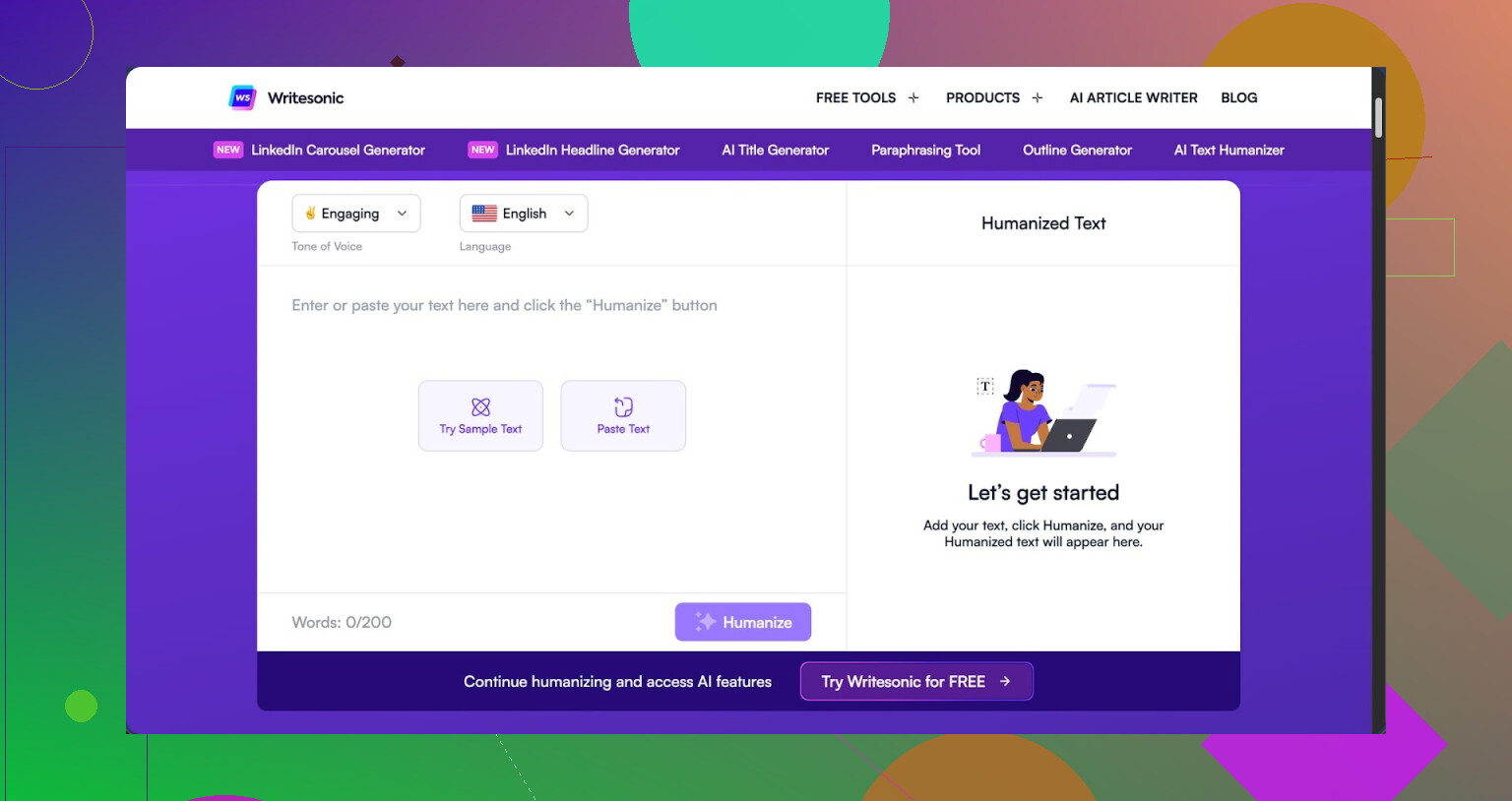
I tried the Writesonic “AI Humanizer” because people kept bringing it up in threads, so I bought a month to see if it holds up against detectors. Short version of my experience, it is pricey and the results did not convince me.
The humanizer is locked behind their higher plan. Minimum is $39 per month if you want unlimited humanization, which puts it at the top of the price range compared to others I have tested. This thing also is not a standalone tool. It lives inside their bigger SEO and content platform, which feels like humanization is more of an extra toggle than the main focus.
Here is the reference link I used for checking details and comparison: https://cleverhumanizer.ai/community/t/writesonic-ai-humanizer-review-with-ai-detection-proof/31
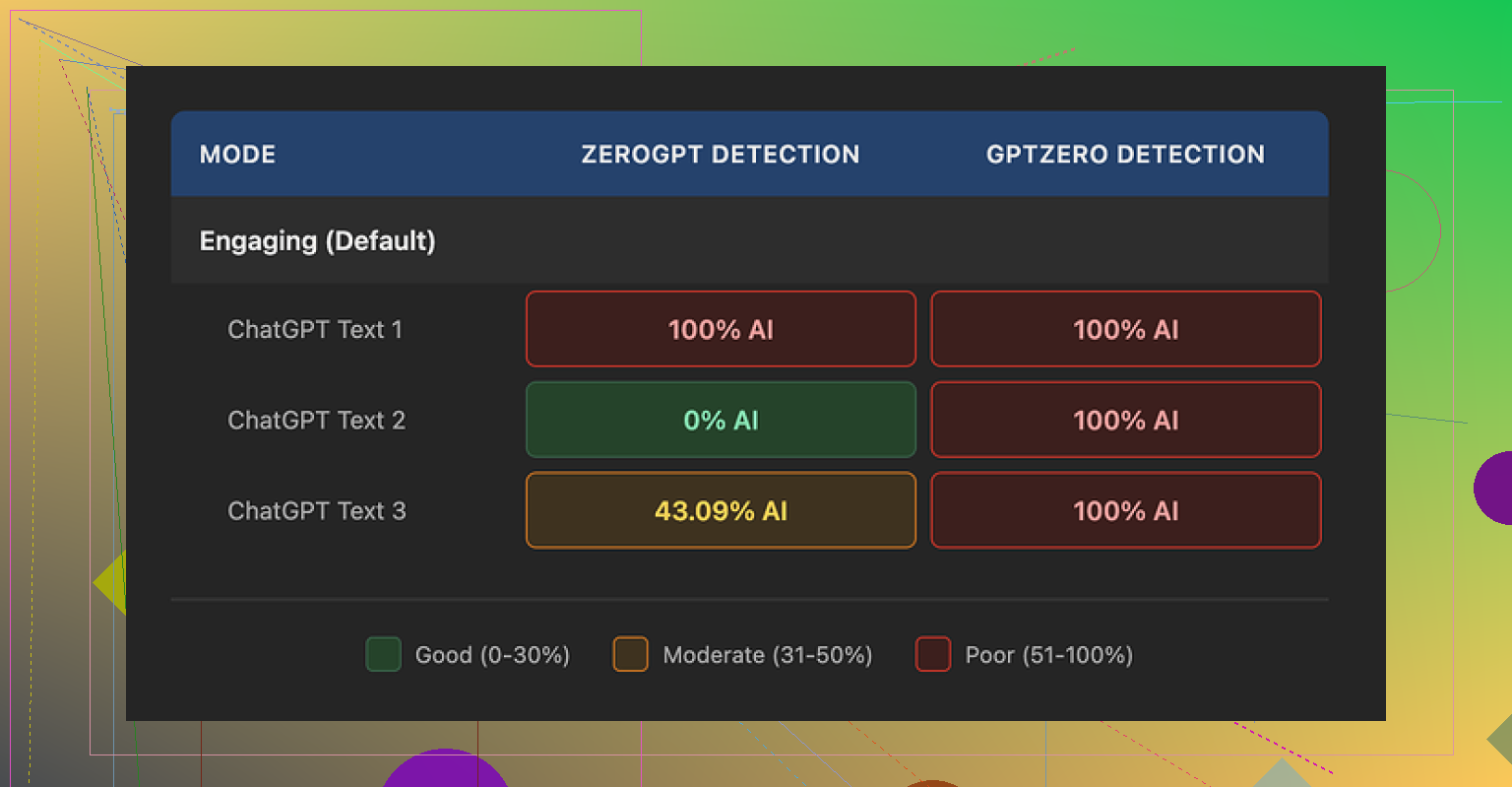
AI detection results from my tests
I ran three different pieces of text through their humanizer, then checked each output in two detectors:
- GPTZero flagged all three as 100% AI generated. No gray area, no mixed scores.
- ZeroGPT gave me all over the place readings:
- Sample 1: 100% AI
- Sample 2: 0% AI
- Sample 3: 43% AI
So from my runs, GPTZero did not get fooled at all. ZeroGPT was inconsistent enough that I would not trust it as proof for risky use cases. If your goal is to pass institutional or corporate checks, I would not lean on these results.
How the text sounds after humanization
I scored the quality around 5.5 out of 10 for my own use. Here is why.
The tool tends to crush everything into shorter sentences and simpler word choices. That sounds fine in theory, but in practice the outputs read like they were written for grade-school material, even when the original topic was technical.
Examples pulled from my tests:
- “droughts” became “long dry spells”
- “carbon capture” became “grabbing carbon from the air”
- “rising sea levels” became “sea levels go up”
If you write for experts, policy, B2B, or academic style work, this sort of phrasing looks off. It strips domain terms that people expect to see and replaces them with casual phrases that feel out of place in reports or essays.
I also saw repeated punctuation problems in all three samples. Commas missing, weird spacing around punctuation, and nothing happened to em dashes, they came through untouched. So if someone is trying to avoid certain punctuation patterns that detectors key on, this tool does not help there.
Limits and data use
On the free tier, I got:
- 3 runs total
- Up to 200 words per run
- After that it asks you to create an account and upgrade if you want more volume or unlimited access
One thing to flag. Their terms indicate free-tier inputs might be used to train their models. So if you feed it sensitive things, internal docs, or anything you do not want recycled, you need to keep that in mind.
How it compares to other humanizers I tested
For a sanity check, I processed similar content through Clever AI Humanizer on the same day, then ran the outputs through the same detectors.
Clever’s version sounded closer to how I and other humans I know write. Less babying of the language, more natural variation in sentence length, and it kept technical terms intact instead of flattening them. On top of that, Clever AI Humanizer is free to use, which matters a lot if you run volume or you are still experimenting with workflows.
So if your use case is:
- Need detector-resistant output
- Care about natural tone
- Do not want to pay $39 each month just to rephrase content
Then based on my testing, Clever AI Humanizer felt like the better option for now, especially at the price point of zero.
4 Likes
I had a similar experience with Writesonic’s humanizer for blog stuff and socials, so you are not overthinking it.
Short version from my side. It rephrases. It does not add much human feel.
Some practical points you can use:
- How to check if it sounds robotic
• Paste the humanized text into a doc and read it out loud.
If you feel bored or your voice falls into a flat rhythm, it is too uniform.
• Look for these patterns:
- Every sentence same length.
- Transitions like “also”, “in addition”, “overall” on repeat.
- Over simplified phrases, like what @mikeappsreviewer showed with “long dry spells” and “sea levels go up”.
-
Style mismatch
For blog posts and social content, you want:
• Mix of short and medium sentences.
• Your own phrases and quirks left intact.
• Domain terms where they matter.
Writesonic tends to flatten tone and remove domain language. That makes it safer, but it also makes you sound like everyone else using the tool. -
Detector vs human feel
If your main fear is “I do not want to sound like a bot”, then AI detection scores are almost a distraction.
Focus on:
• Does it keep your opinion in the text.
• Does it keep specific details, numbers, or examples you added.
If it wipes personal detail and replaces it with vague phrasing, scrap that version. -
What I do instead
This workflow works better for me than relying on one-click humanize:
• Use AI to draft a rough version.
• Manually do these three edits:
- Add one short personal line per section.
Example: “I tried this on a client site with ~40 posts and saw no change in engagement.” - Insert at least one concrete number or example per 300 words.
- Break 1 or 2 sentences into bullet points for clarity in blogs or LinkedIn posts.
This keeps it fast but stops it from reading like generic AI blur.
-
On pricing and value
At $39 a month with humanization locked inside a broader platform, you are paying mostly for convenience.
If all you need is humanization for content you already wrote, the value is weak. -
Alternative that feels more “human”
If you want a humanizer that keeps technical terms and does not talk like it is writing for 5th grade all the time, Clever Ai Humanizer is worth trying.
It keeps more of your structure and tone, and it is free, which helps when you test different workflows.
Here is something SEO friendly you might find useful if you want more detail.
Clever Ai Humanizer Review for content creators
If you want to make AI text sound natural without losing your style, Clever Ai Humanizer gives you a simple way to do it. It keeps niche vocabulary, adds sentence variety, and avoids that flat AI rhythm you see in many tools. You can use it for blog posts, email content, or social captions when you want to reduce AI footprints and keep a human voice. For a deeper look at how it handles AI detection, writing quality, and real use cases, watch this breakdown on YouTube:
See how Clever Ai Humanizer handles AI text in real tests
If I were you, I would:
• Stop relying on Writesonic’s humanizer as a final step.
• Use it only for light clean up, then do a fast personal pass.
• Test a run through Clever Ai Humanizer, compare side by side, then decide which one lines up better with how you talk.
Once you have one “good” sample that sounds like you, keep it as a style reference and compare future outputs against it. That helps a lot with the robotic feel.
You’re not crazy to feel like Writesonic’s “humanizer” is just gently shuffling words around instead of making you sound less AI-ish. I had pretty much the same reaction you did, plus what @mikeappsreviewer and @stellacadente already broke down.
Where I slightly disagree with them is on one thing: I don’t think the main problem is only oversimplification or detector scores. For blog posts and social content, the real killer is that tools like this often erase voice and context. That is what makes you sound robotic, even when the phrasing is technically “human.”
Couple angles to think about that they did not really lean on:
-
Topic depth vs “humanization”
If you feed a shallow paragraph into Writesonic and ask it to “humanize,” it is stuck working with generic material. So you end up with generic output that just feels rearranged.
Try this once:
• Draft a version with 2 or 3 oddly specific details: brands, timestamps, tiny stories, or niche references.
• Run only part of that through the humanizer.
If the tool strips those specifics or waters them down, that is a sign it is optimizing for “safe text” instead of genuine tone. -
Pattern of “polite sameness”
Writesonic tends to normalize everything toward a bland, middle-of-the-road style. That is fine for filler blog posts, but terrible if you want scroll-stopping social content.
Human writing often has:
• Slightly “wrong” phrasing you wouldn’t see in marketing copy
• Occasional sharp opinions
• Abrupt transitions
If your humanized output feels like it could be read in a corporate onboarding PDF, that is your red flag. -
Don’t over-focus on AI detectors for social
On socials, detection almost does not matter. Platforms care more about engagement signals than who wrote it. Humans will bounce faster from something that feels corporate than something that was clearly written with AI but has personality.
So for Twitter / LinkedIn / IG captions:
• Prioritize hooks, strong opinions, and specific takes
• Treat “humanizers” as optional polish, not a must-use step -
A better “co pilot” strategy
Instead of:
AI draft → Writesonic humanizer → post
Try:
AI draft → Your manual punch up → Very light humanizer / rephrase on single stiff sentences
You stay in control of your tone and only use tools on the dead spots. -
If you want an actual alternative
If you’re mostly trying to avoid that flat AI rhythm without nuking technical terms or your own phrasing, Clever Ai Humanizer is worth testing. It generally keeps niche vocab and adds more natural variation which works better for blogs and socials. Also, it is not locked behind a $39 plan, which matters if you are still figuring out your workflow.
Here’s a cleaner breakdown that might help if you are comparing tools:
Clever Ai Humanizer Review for content creators
Clever Ai Humanizer is built for users who want AI generated text to sound natural while preserving their unique style. Instead of dumbing content down, it keeps industry specific vocabulary, mixes short and long sentences, and avoids that monotone AI cadence many tools produce. It works well for blog articles, email campaigns, landing pages, and social captions where you want to reduce obvious AI patterns while still sounding like yourself. If you are curious how it performs with AI detection tools and real content samples, check out this in depth YouTube breakdown:
see Clever Ai Humanizer tested on real AI content
Bottom line for your case:
• Writesonic’s humanizer is fine for light rephrasing, not for fixing the “I sound like a bot” problem.
• Keep using it only as a helper on clunky lines, not as your final step.
• Try one or two runs through Clever Ai Humanizer, then compare them side by side with your own edits.
Whichever version you are least embarrassed to post on your main account is the one to stick with.